How to hide your Instagram Story posts from your kids
May 20, 2019•2 min read
It's not just tweens and teens who might be using Finstas (Fake-Instagram accounts) to throw off their parents. We parents whose kids and their friends follow us on Instagram have probably considered using them in case we want to freely post about our crazy Friday night out (which these days is Netflix and Snoozing), or share a frustration that you don't want them to have to worry about.
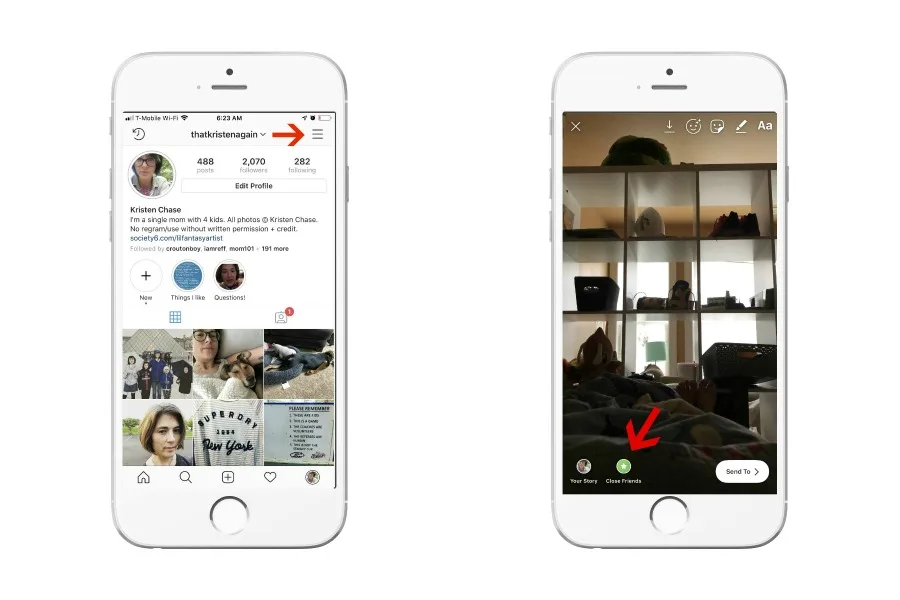
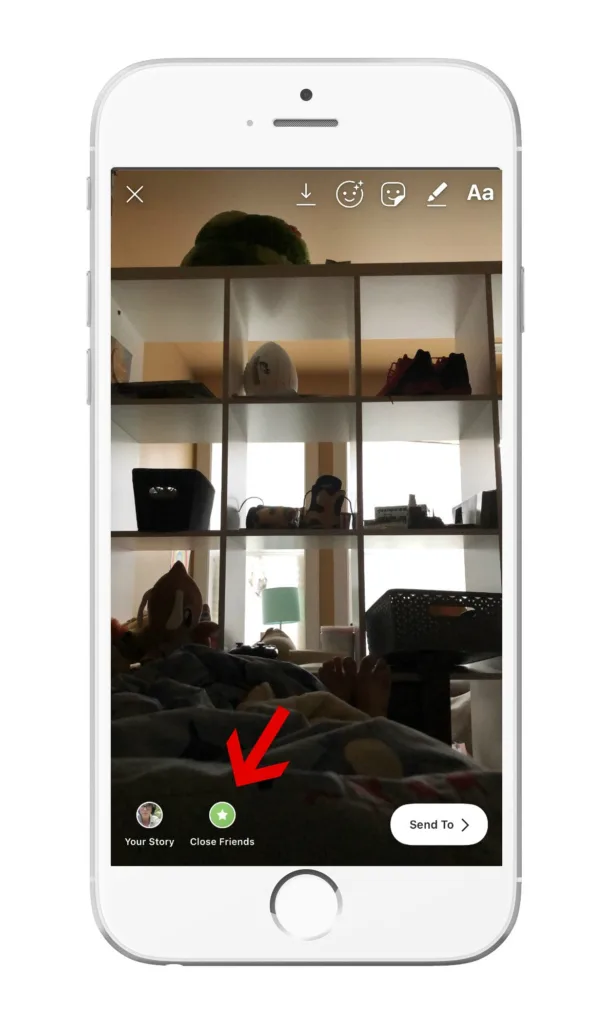
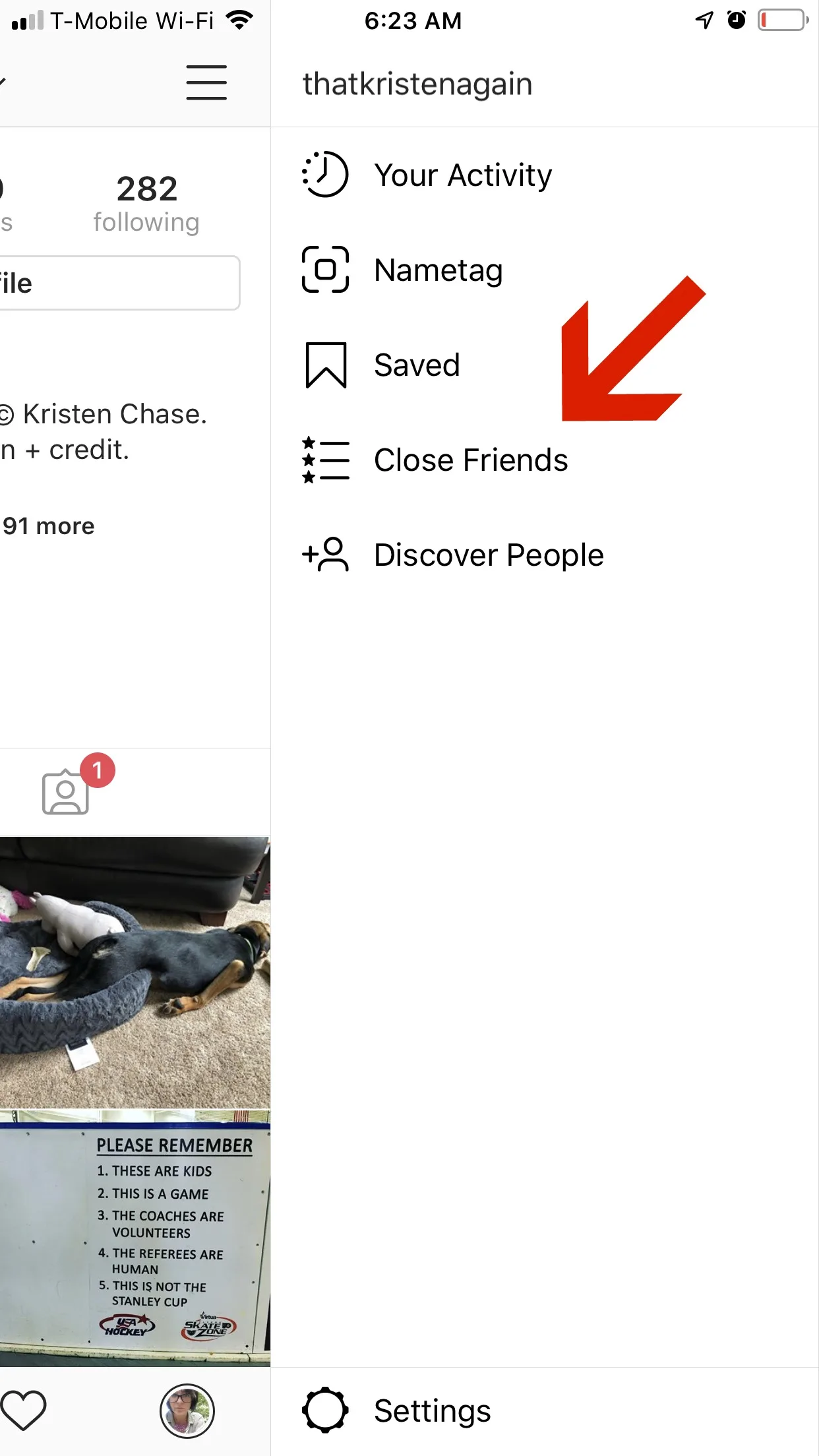
Here's a slightly easier workaround: use the Close Friends feature on Instagram Story.
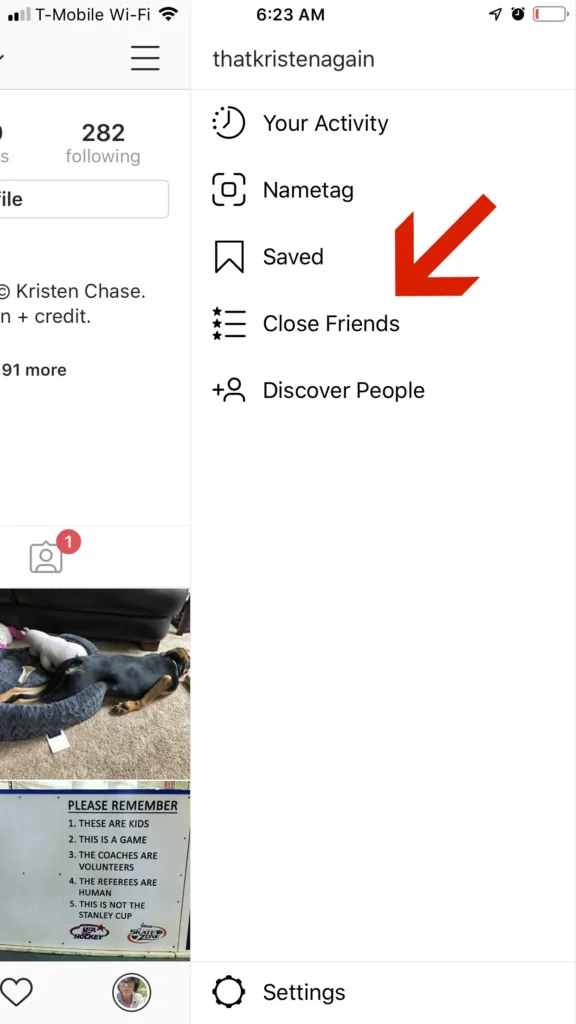
It's easy to set up: just tap the hamburger from your home screen (aka the 3 horizontal lines), then click "Close Friends." You'll be prompted to add people from your follow list.
Related: How to post an Instagram post to your story
Related: Instagram Story tip: How to change the time and date stamp on your photo
You should know that considering I'm just discovering this now, there's a good chance your tween or teen probably already knows about this feature and might be using it. So, if you're heavily monitoring Instagram for whatever reason, the close friends tab is something that could post a challenge for parents. If anything, it's worth a conversation with your tweens and teens (do you require yourself to be in their close friends?), and more thought about if you would use this feature yourself and how you would if you do.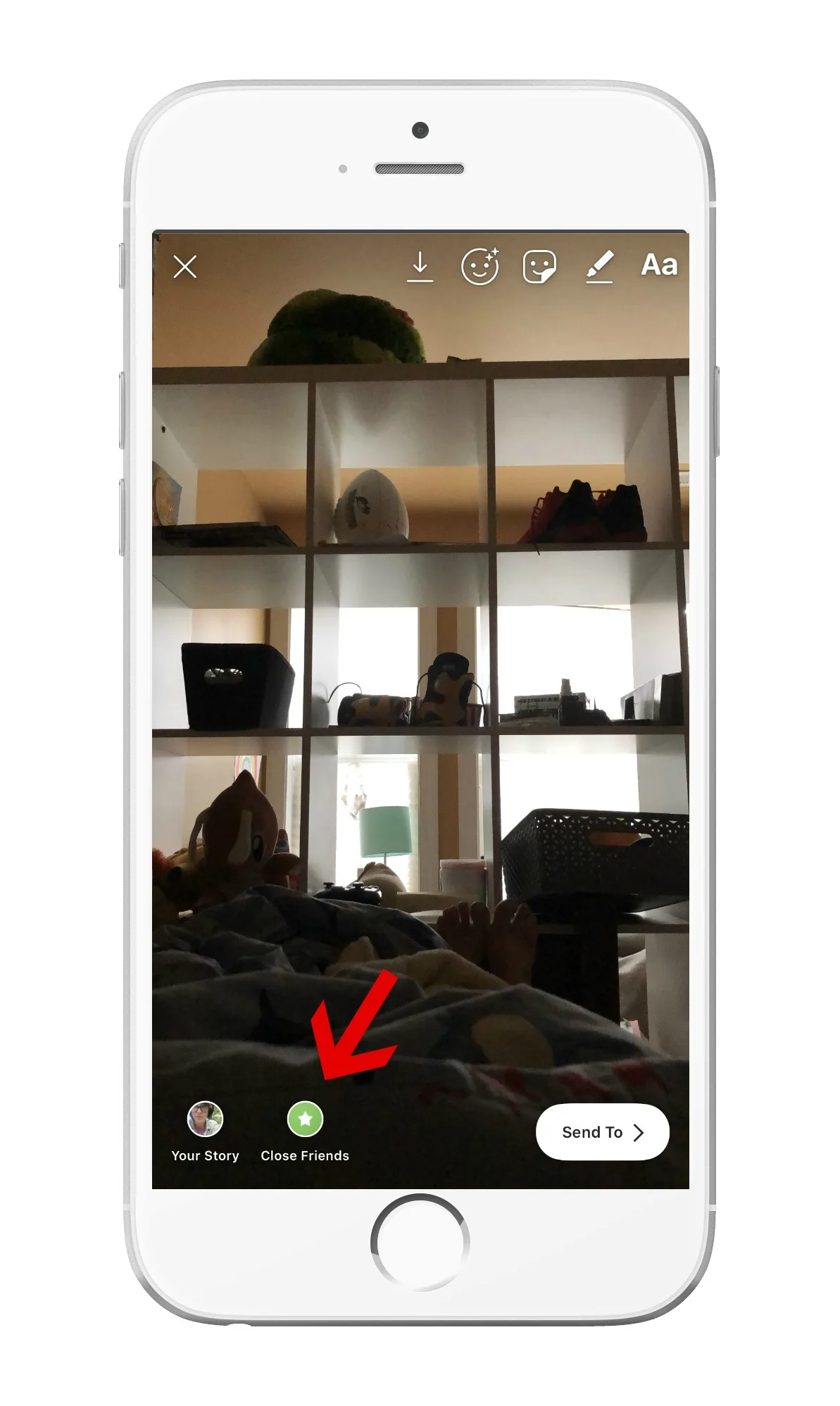
Note: This is imported sample content. Original source.