How to download your Twitter data archive...and what you'll find in there.
October 29, 2022•3 min read

Thinking about leaving Twitter? (Are we calling it Twexit yet?) With the big changeover in management this week, some Twitter users are leaving, some users are staying, and your choice is up to you. Either way, it's good idea to download your Twitter data archive.
In fact, it's a good idea to know how to download our Twitter data even if you're not deactivating your account. Because we all know how much privacy and information we've all willingly given up in order to like our friends' new baby announcements and share our mimosa photos on Sundays.
(That's sarcasm, of course. I happen to love social media.)
Can never hurt to know what our social media overlords have on us, right? So check out these simple tips to download your Twitter data, along with some info on what you can expect to find in there. It's more than you might think.
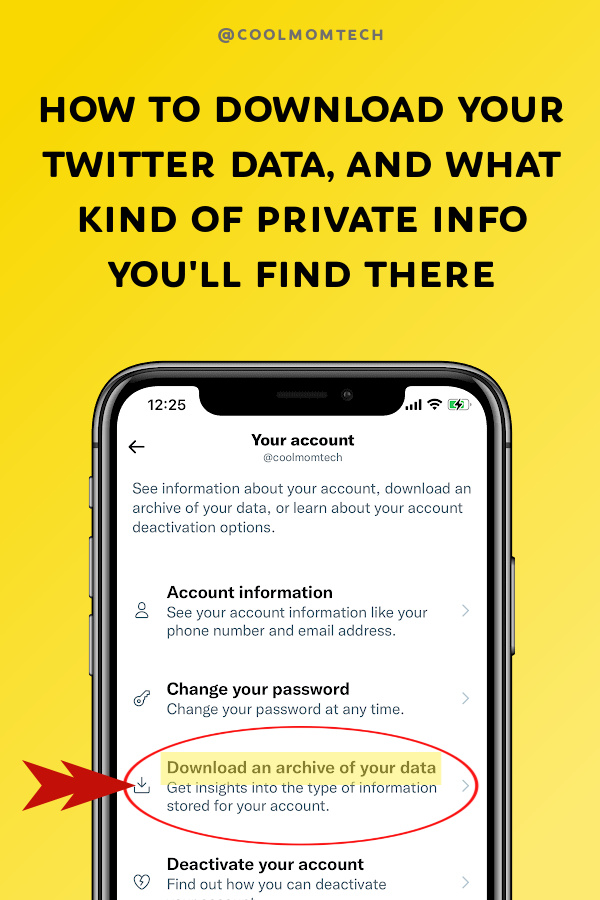
Related: Please consider these 5 things before deleting your twitter account.
What information is in an archive of your Twitter data?
According to Twitter, your data archive includes: - All of your Tweets and Direct Messages - Your media (images, videos, and GIFs you may have shared) - Your Twitter Moments if any - A list of all your followers, and accounts that you follow - Your address book if linked - Lists you've created, lists you follow, lists you're a member of - Demographic information about you including interests - Ads you've seen or engaged with on Twitter In other words, a whole lot of info, including info on your friends, families, colleagues and connections. Ready to take a peek? Deep breaths...Related: Here’s how Facebook is "stalking you." And what you can do about it.
How to download your Twitter data in 4 steps
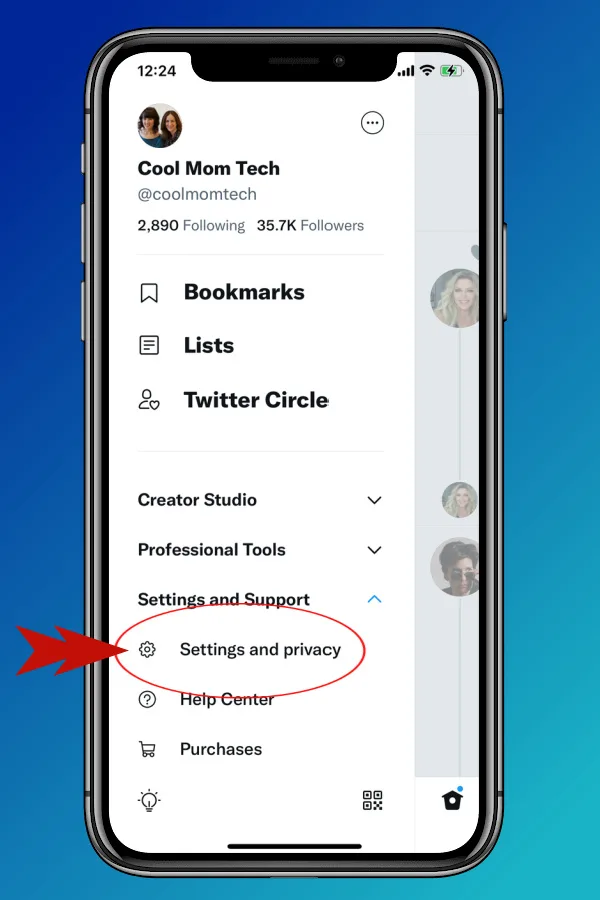
 1 From your home feed, click on your profile photo to bring you to the profile panel. Scroll down until you see Settings and Support.
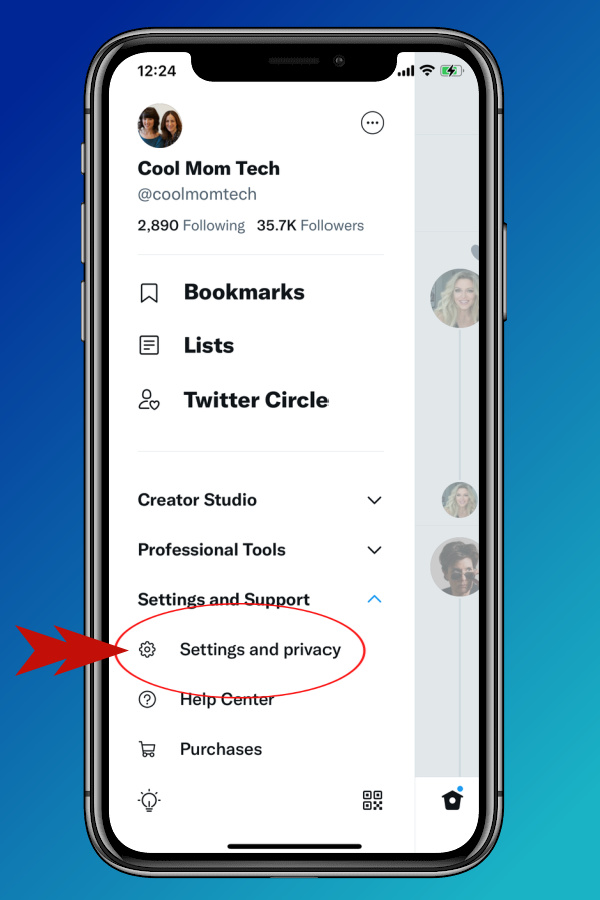 2. Click open to reveal Settings and Privacy in the sub-menu
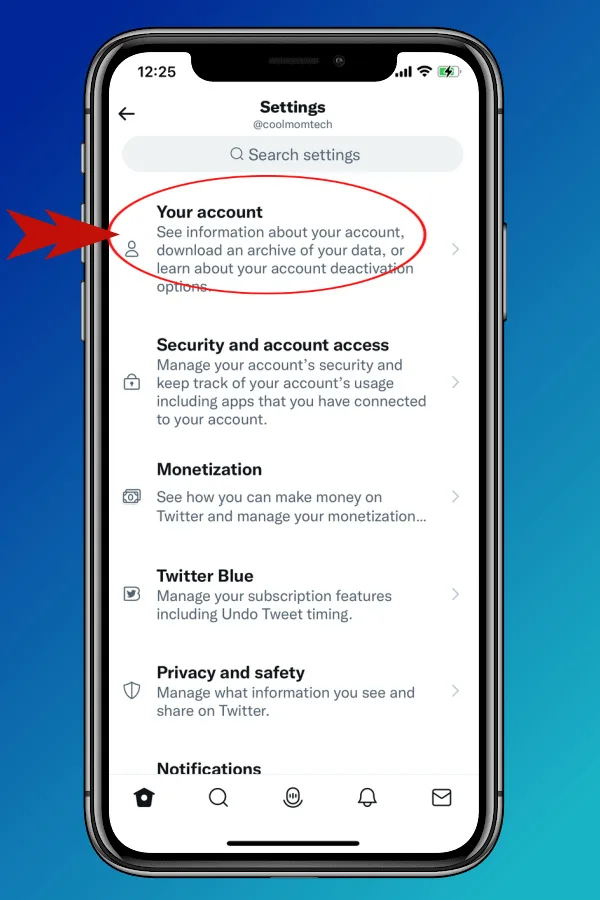
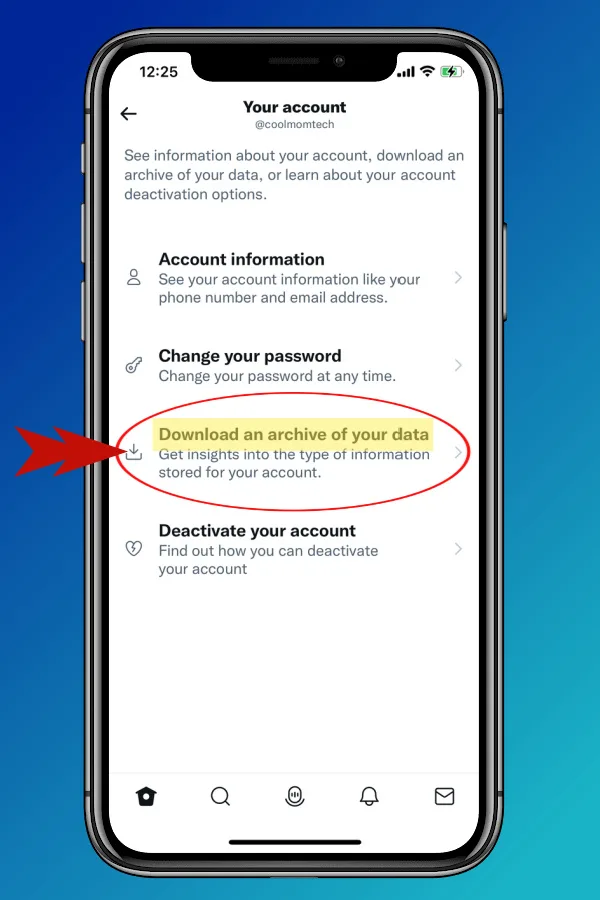
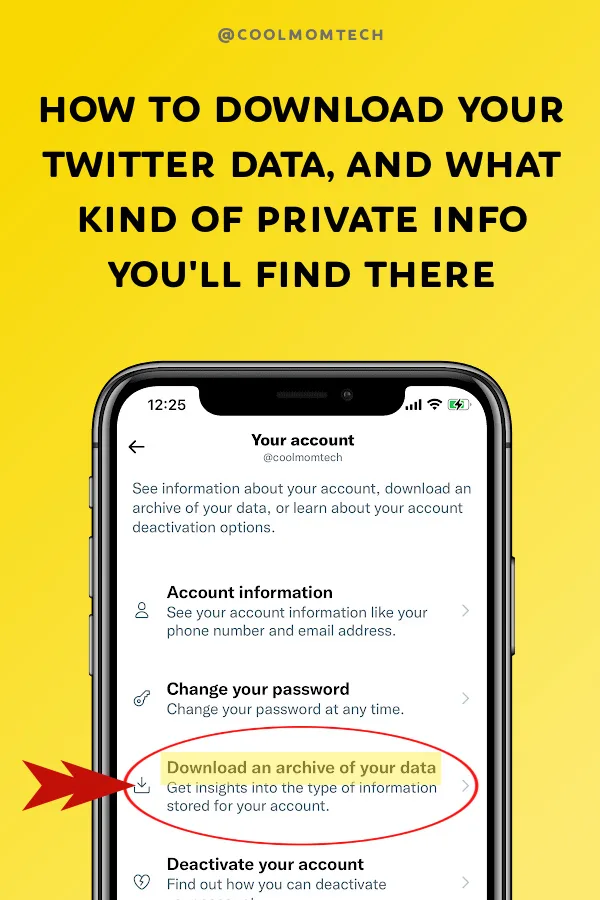
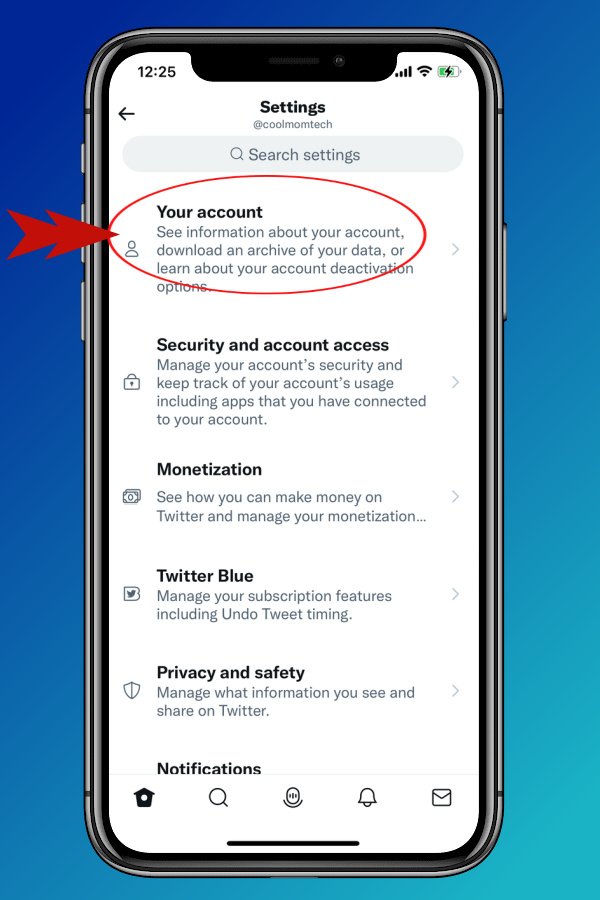 3. Right at top, you'll see Your Account, which includes the option to "download an archive of your data."
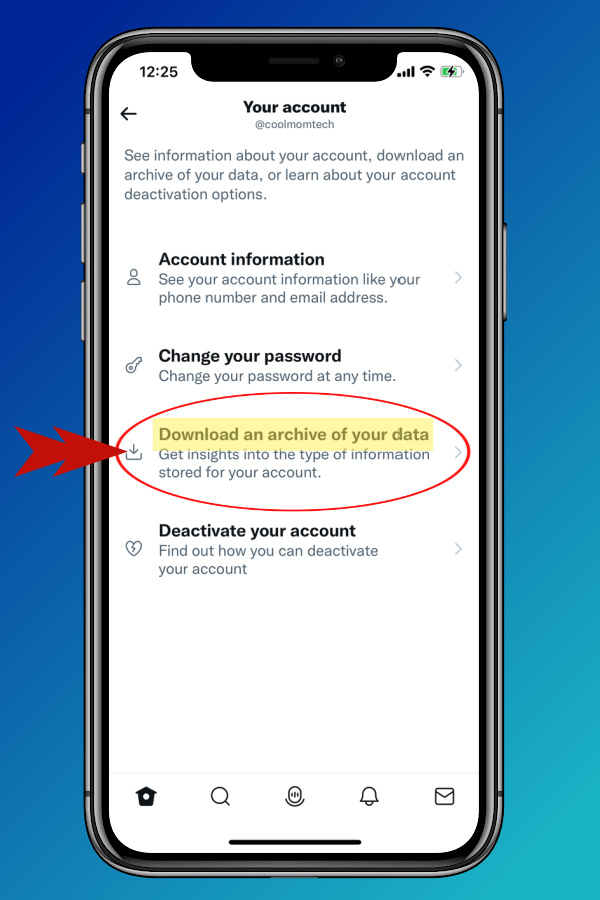 4. Click Download. You'll be asked to reconfirm your password, and authenticate your identity if you use 2FA (which you should!) then, you just wait.
A few important notes...
Important Note 1: Twitter gives you exactly one week, down to the minute, to download that Twitter archive, so don't forget! Important Note 2: You'll have to complete the download of your Twitter data on your desktop, not through a mobile device, so haul out that laptop! (Even if you start the process on your phone or tablet.) Wait, what was that about HTML and JSON?: Here are some helpful posts on how to read/convert HTML files and ways to read JSON files -- basically, you can use TextEdit on Mac, third-party apps like Microsoft WordPad, or read directly through a browser. If you need more help with your account: You can contact Twitter through their Privacy form. And if you're not leaving Twitter, but discover that you want to lock things down a little more than they currently are, check out Twitter's privacy options as well as Twitter's personalization and data settings. As with Facebook, you may be surprised what you see when you look under the hood. Godspeed. Top photo adapted from Sara Kurfeß on Unsplash
Note: This is imported sample content. Original source.