A Facebook feature you can use instead of adding "Following!" in the comments
September 18, 2018•1 min read

You've probably seen the letter "F" in the comments of a Facebook post. Or perhaps you've typed the word "Following" yourself, because when you comment, you'll get notifications of other comments and get to follow along. However, there's a Facebook feature that makes it a whole lot easier to keep track of posts, and it's called "Saved."
Related: How to figure out which Facebook categories have been assigned to you
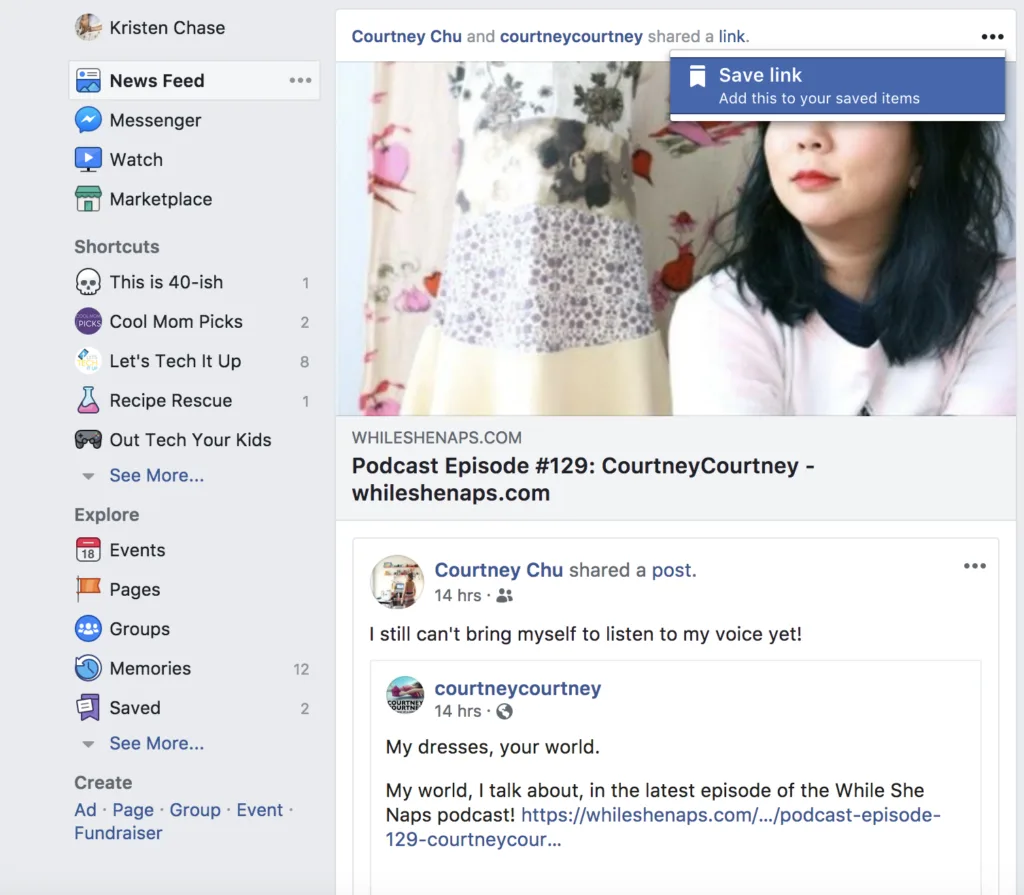
Definitely saving our friend Courtney's podcast episode for later!
Just click the three dots at the top of the post, then hit "save link." You can then access the post whenever you want from the "Saved" tab in your left sidebar (or in your menu on mobile). Easy! This way, you don't have to get notifications every single time there's a comment and can check the post at your leisure. It's a trick I've been using for awhile now since there are plenty of times I see something I want to read, or a conversation I want to weigh-in on but I just can't do it right at that time. Top Photo by Tim Bennett on Unsplash
Note: This is imported sample content. Original source.