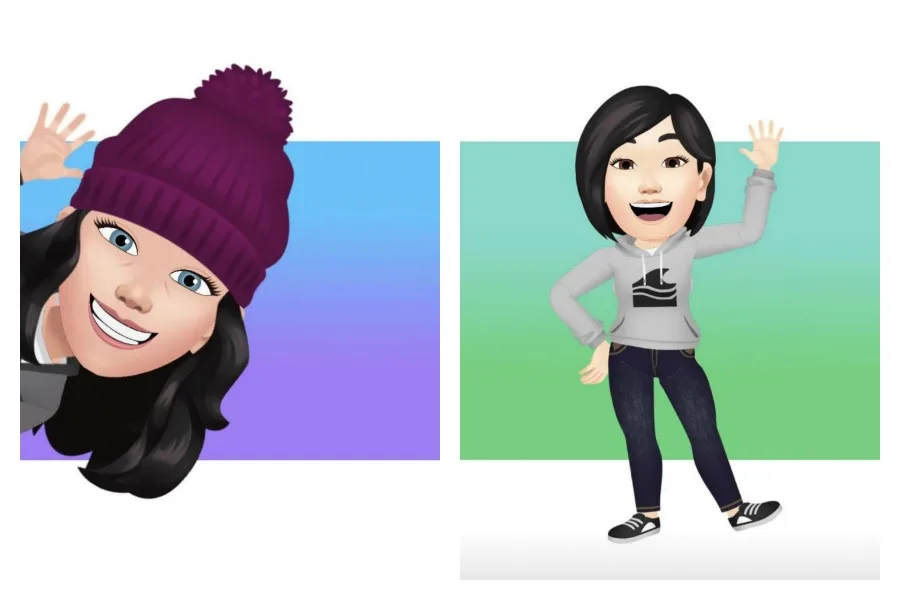
Here's how to make that Facebook Avatar that looks nothing like you.

If you're like me, then your Facebook feed has been filled with everyone's new Facebook avatar. It's also been filled with people saying how they look nothing like them. And I have to be honest, I totally agree. So of course, I had to gi…

May 18, 20201 min read
Top 10 posts of 2020: Here's how to make a Facebook avatar
If you're like me, then your Facebook feed has been filled with everyone's new Facebook avatar. It's also been filled with people saying how they look nothing like them. And I have to be honest, I totally agree. So of course, I had to give it a try myself. But it's not as easy to figure out as I thought.

Related: Here's how Facebook is stalking. And what you can do about it. 

Here's how to make your own Facebook avatar
Here's how to create your own Facebook Avatar

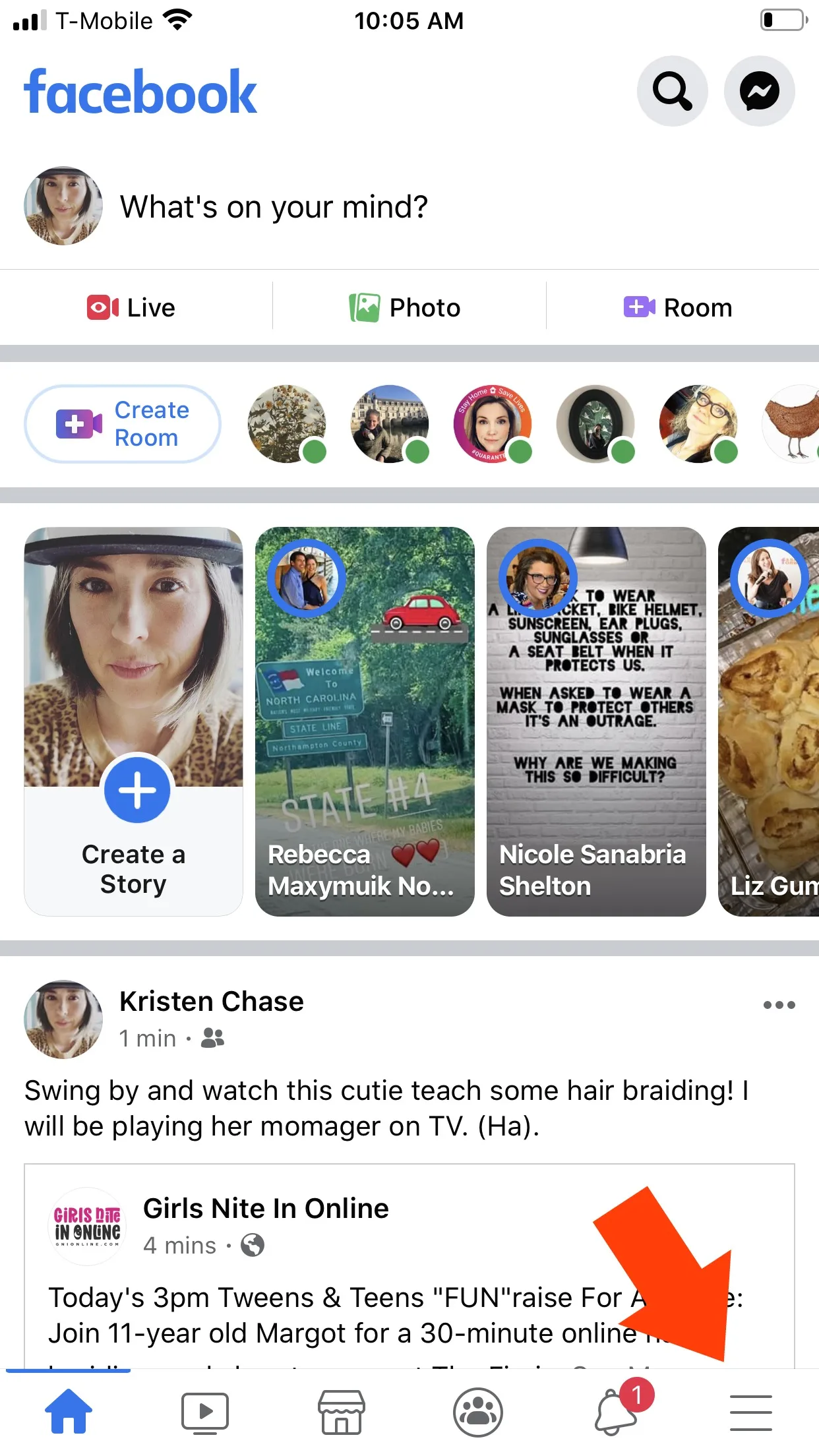
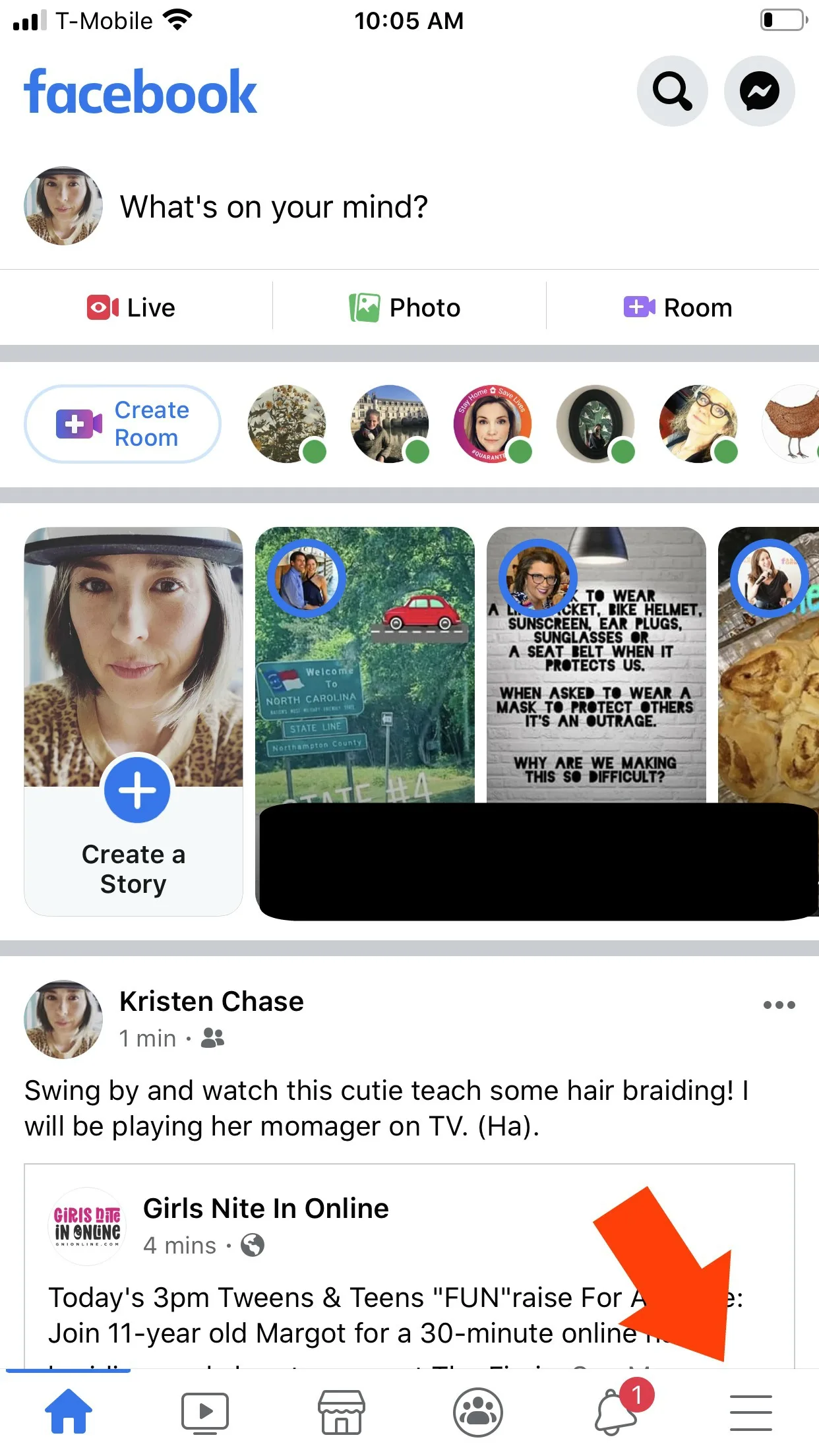
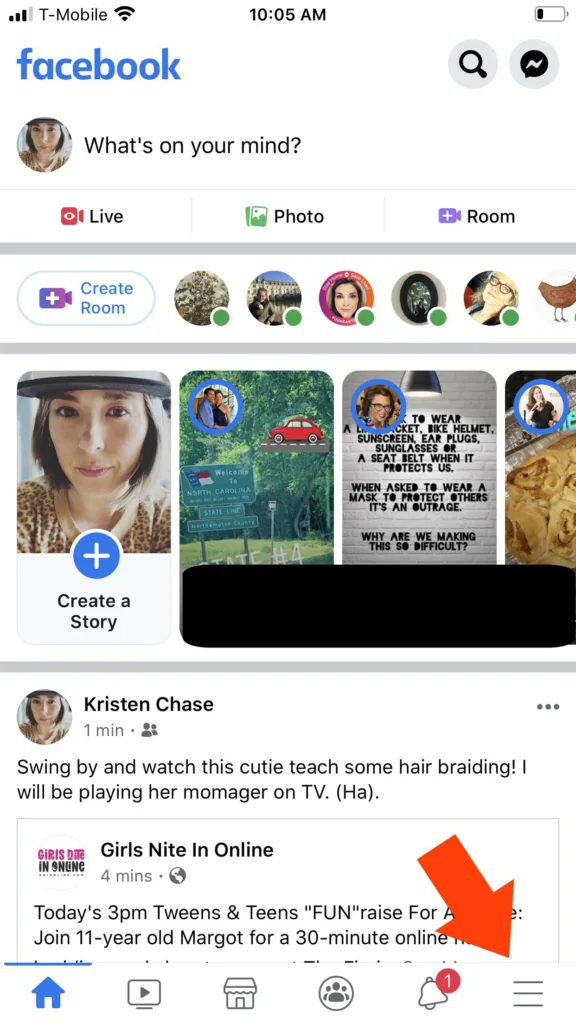
1. Go to the Facebook app on your phone, and click on the menu hamburger (3 lines at the bottom right)

How to make your Facebook Avatar

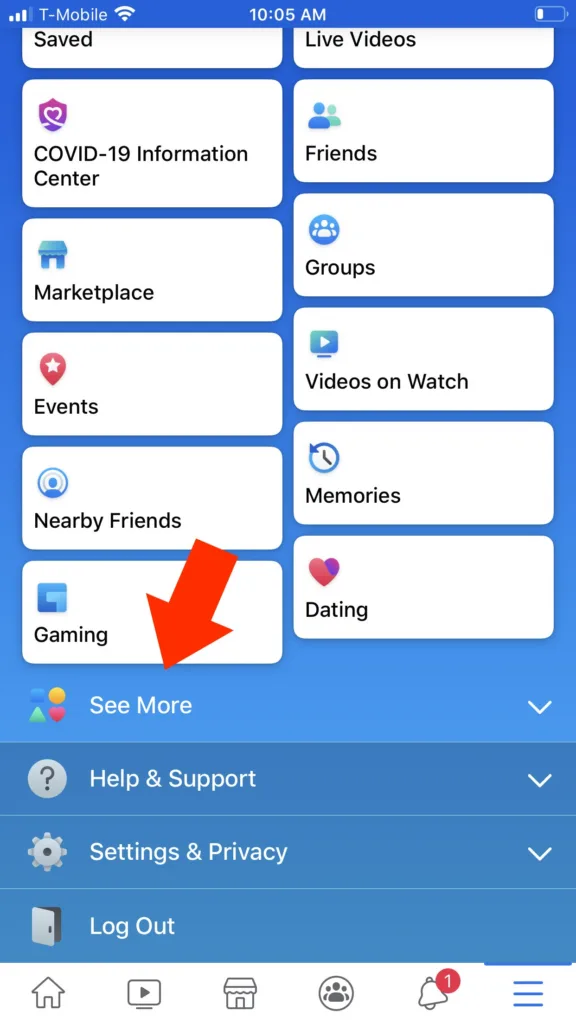
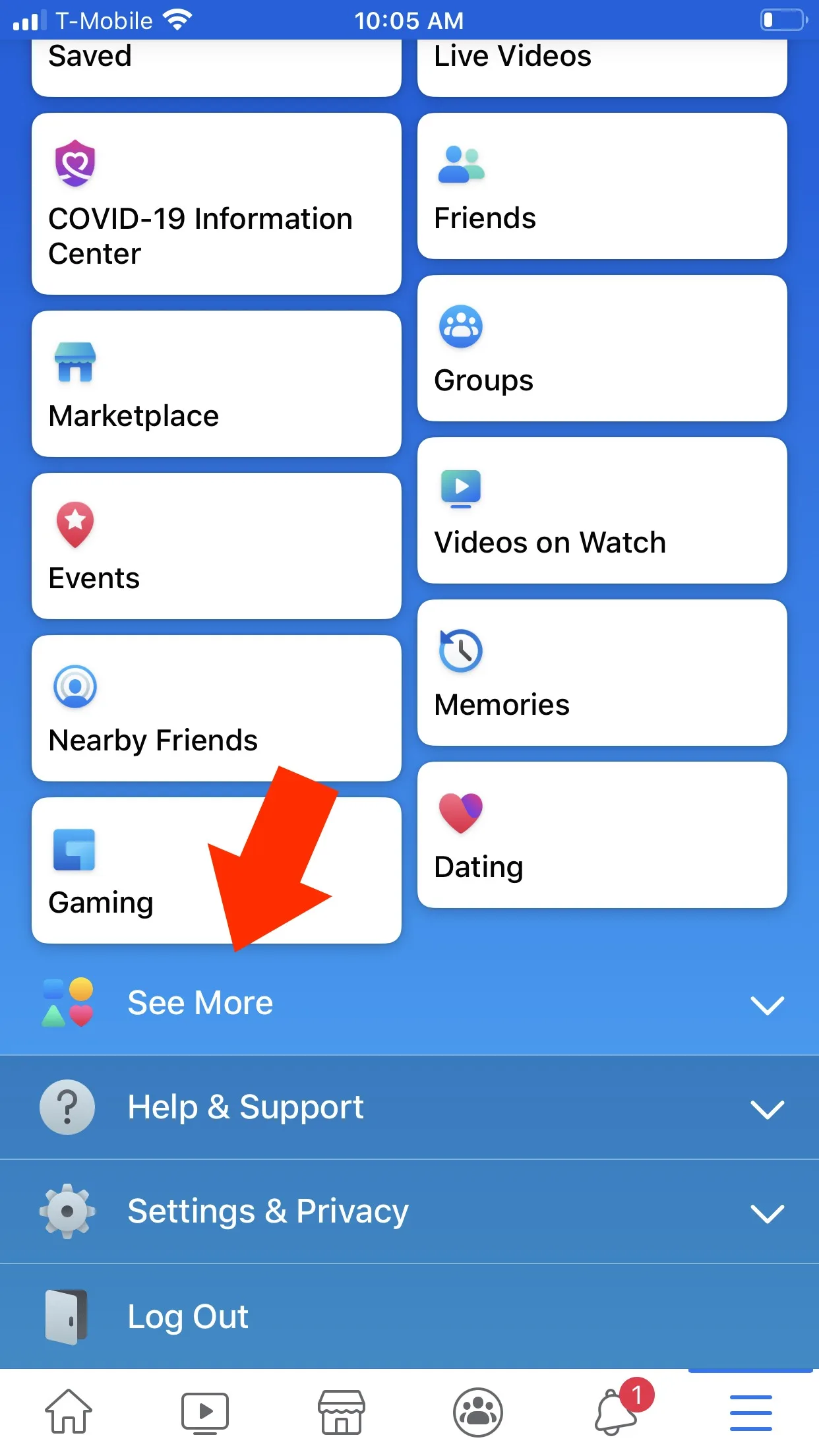
2. Scroll down and click "see more."

Cool Mom Tech tutorial: How to make your Facebook avatar

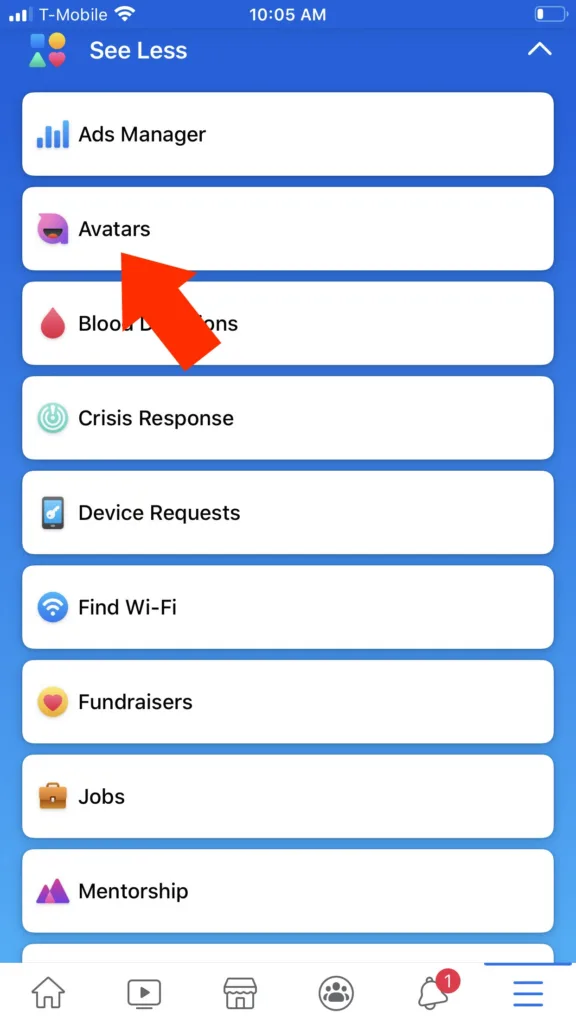
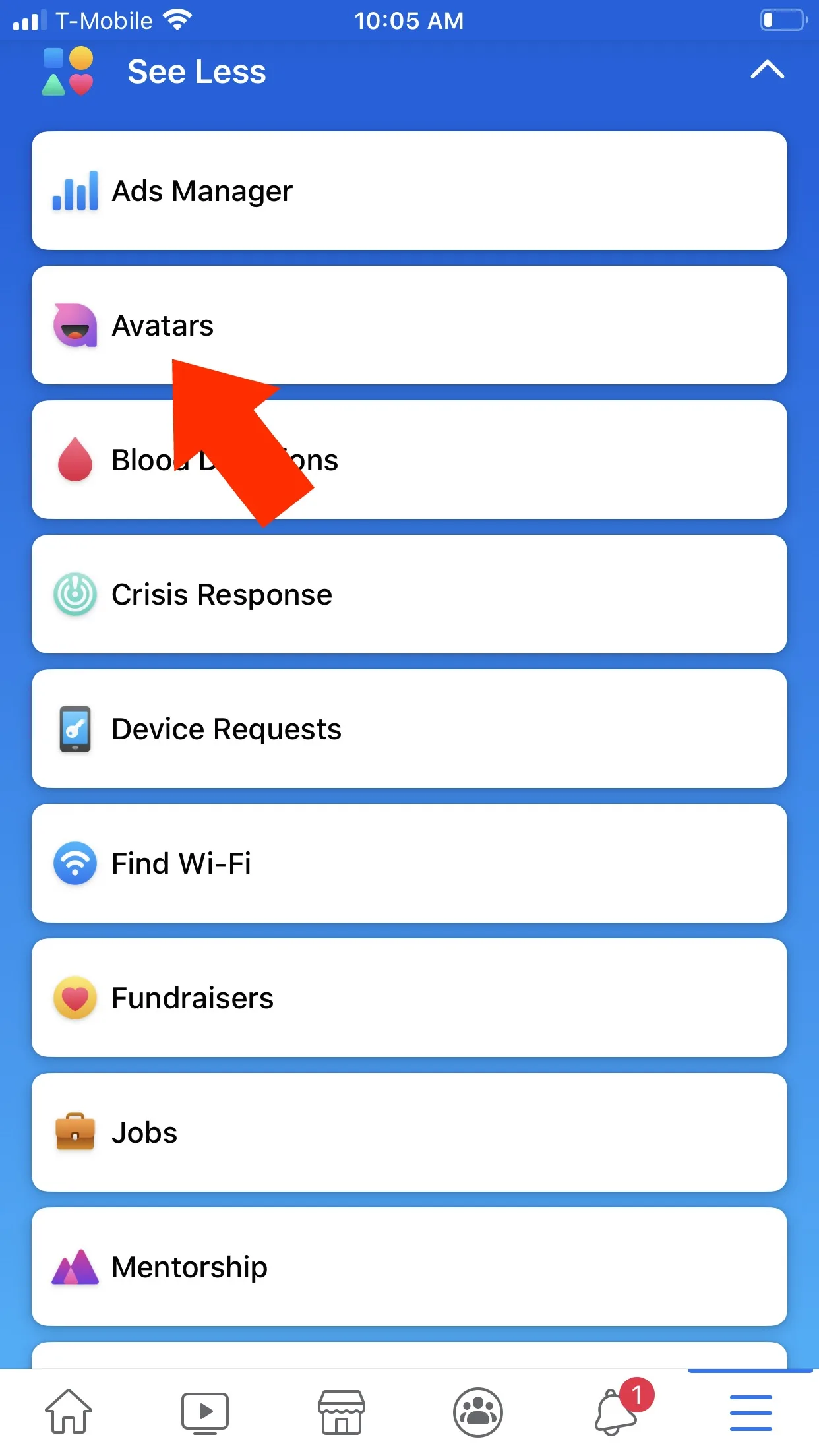
3. Click "avatars." That's it. You can customize your avatar down to the wrinkles, then share on your page like everyone else if you so choose. I'm not quite sure how I'll be using this thing, if only to worry whether Facebook is somehow using this info to target me for ads.
Cool Mom Tech
How to make your Facebook Avatar - Tutorial on Cool Mom Tech
Here's how to create your own Facebook Avatar
How to make your Facebook Avatar
Note: This is imported sample content. Original source.

The Weekly Pick

One tested product, every Thursday

No roundups, no fluff. Just the thing we'd actually buy for our own kids.

More in Tips and Tricks