How to hide your Instagram Story from users. Psst: If you can do it, your kids can do it too.
February 6, 2020•2 min read

A few months ago, we shared how to set up the Close Friends feature on Instagram, just in case you’ve got your kids (and their friends) following you and wanted to share something that they couldn’t see. Of course, whenever you do that, then you can pretty much assume your kids are doing it too, and whether you want to set that sort of example for them with your tech use.
Well, what you may not know is that you can hide your Instagram Story from specific users as well. So, if you share a holiday gift or you know other things (ahem) that you want your followers to see (and not your kids, ex-husband… you get the idea), you can do just that.
Related: How to use Close Friends on Instagram to hide your Story
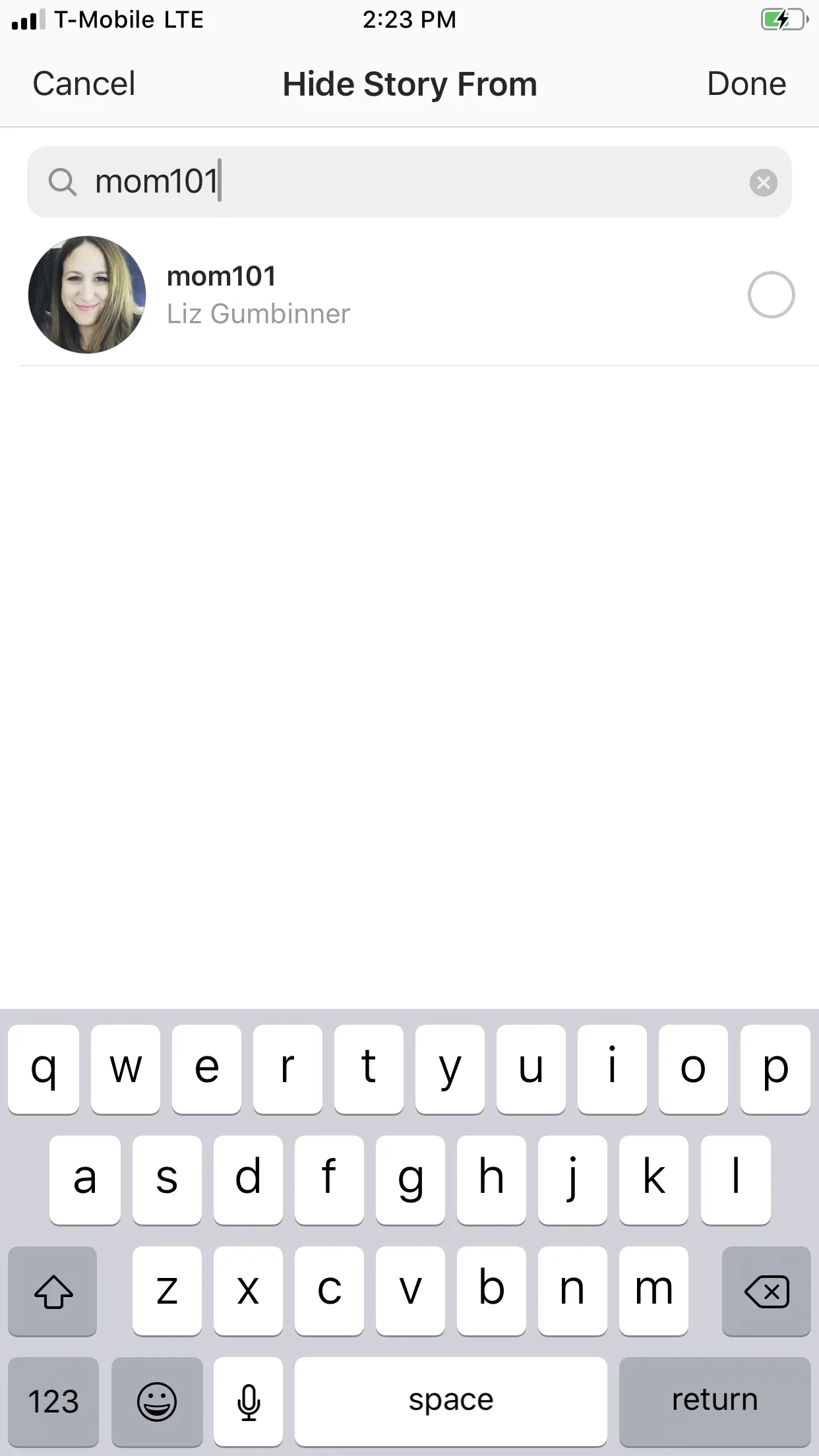
Here’s how to hide your Instagram Story from users
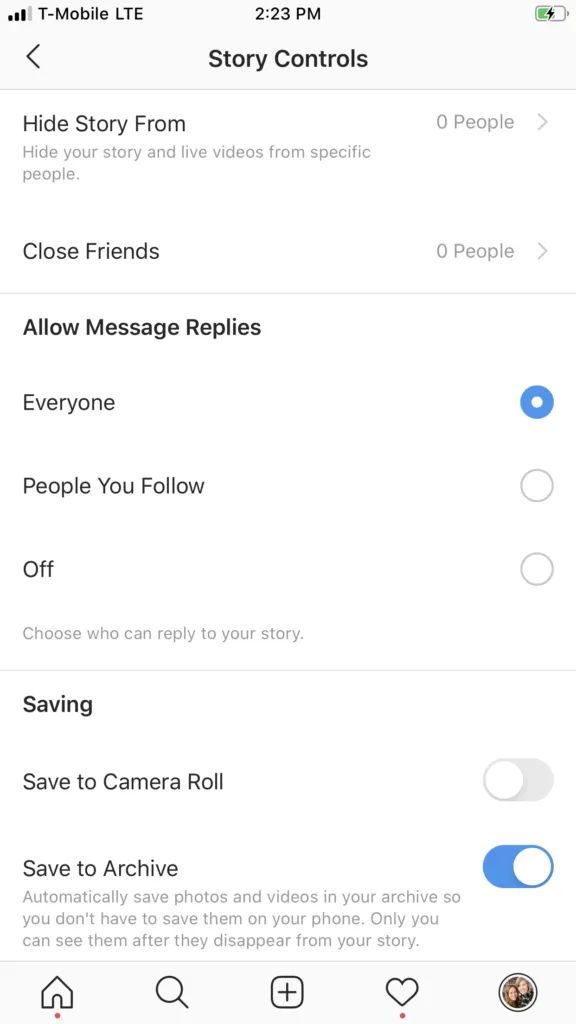
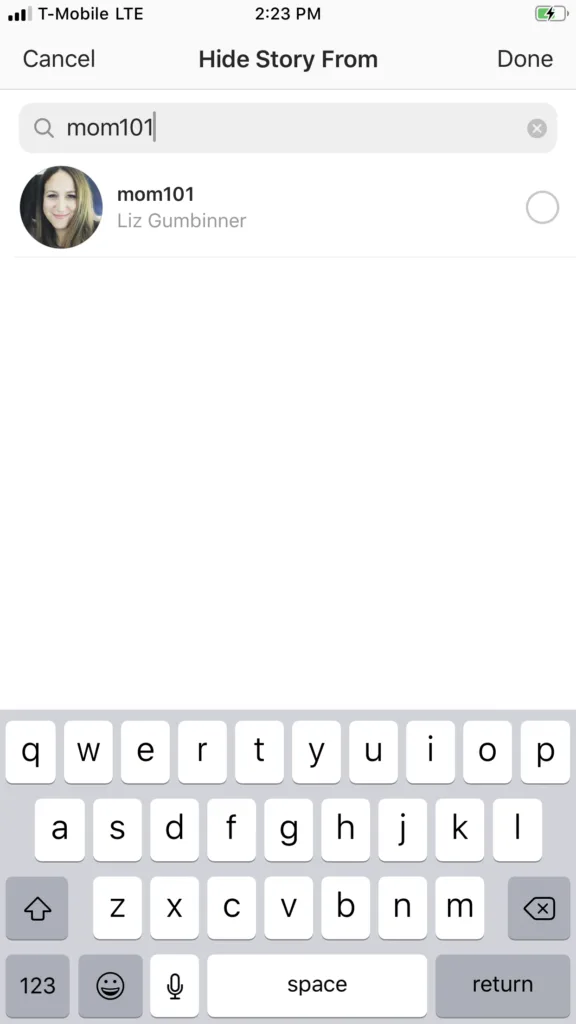
Don't worry, Liz. We're not blocking you from our story!
Related: More helpful Instagram Story tips
5. Select the people you’d like to hide your story from, then tap “done." 6. To unhide your story from someone, just unselect them.
You can also choose to hide your story from people after the’ve seen your story. Just tap the three dots to the right of the person’s name in the story stats, and select “hide story from.” Like I mentioned above, if you know this trick, then there’s a good chance your kids do too. And so, if you’re following their Instagram account to keep up with them, it’s important information to have tucked into your back pocket. And it’s a good reason to have a chat about how they’re using the medium. A little “and if there happen to be images that I somehow cannot see…” reminder might be in order. Want to stay ahead of your kids when it comes to tech? Make sure you're a member of our free Out Tech Your Kids Facebook Group. Photo by Luke van Zyl on Unsplash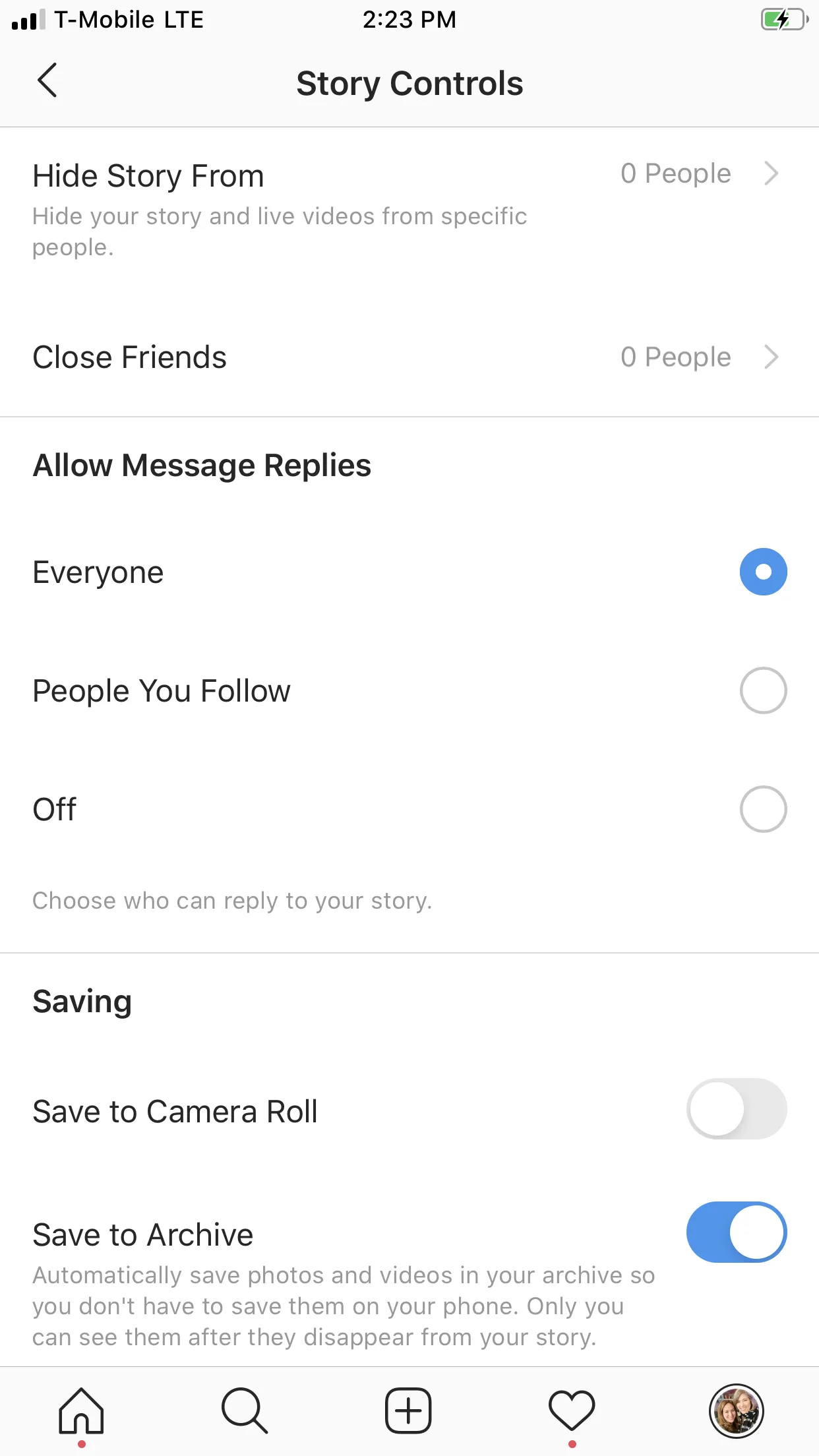
Note: This is imported sample content. Original source.


