How to set limits for specific apps using the Screen Time app on iPhone
April 1, 2019•2 min read

You've probably already figured out how to use the Screen Time app on iPhone to help manage your child's screen time. Screen Time makes it easy to block and set limits on categories of apps, specific apps during Downtime, or just screen time overall, but if you want to set a limit on specific apps when your kids are not in Downtime, it's pretty tricky.
Thankfully, Lindsay, a parent in our Out Tech Your Kids Facebook Group, shared the process she discovered so we can share it with you. This way, if you want to be able to limit which apps your kids are using during their allotted screen time, you can do it pretty easily. Thanks, Lindsay!
Related: Here's how to use the Screen Time app on iPhone
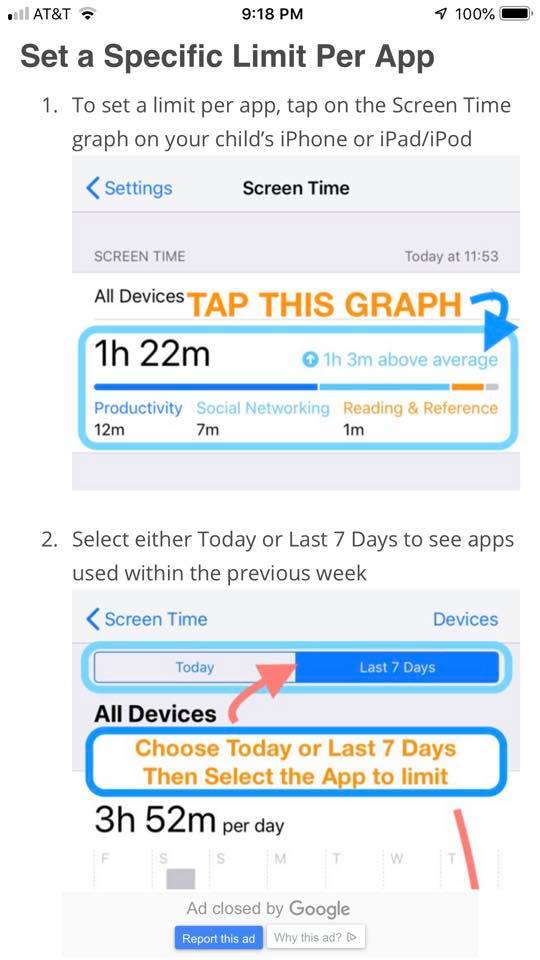
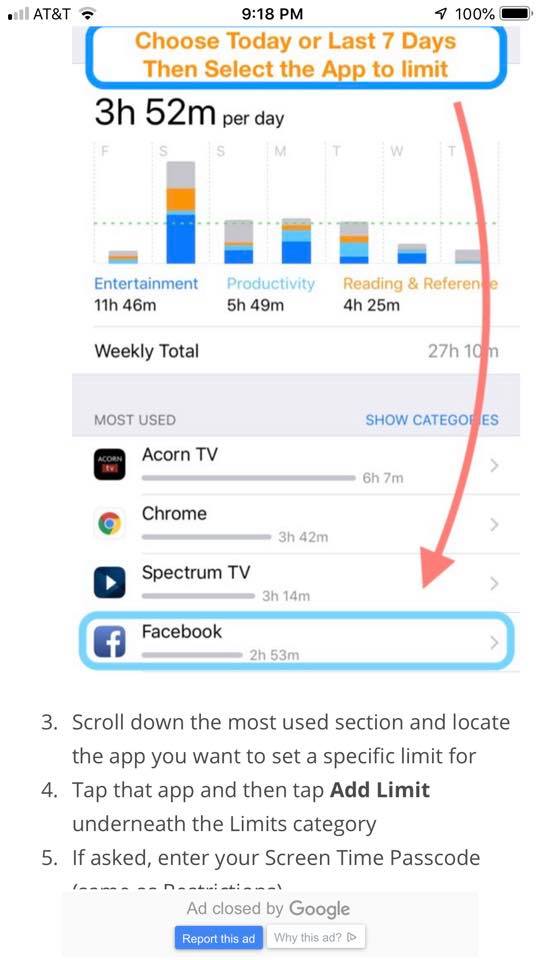
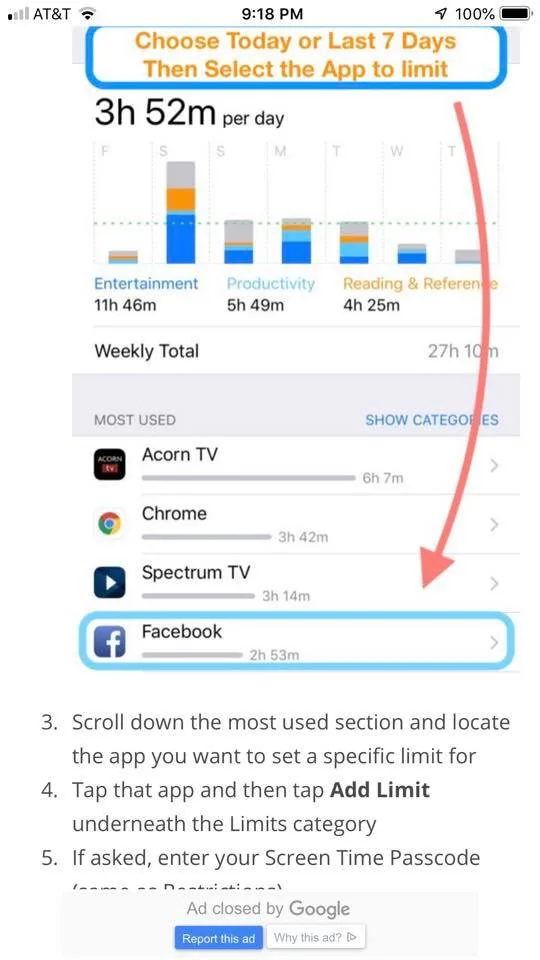
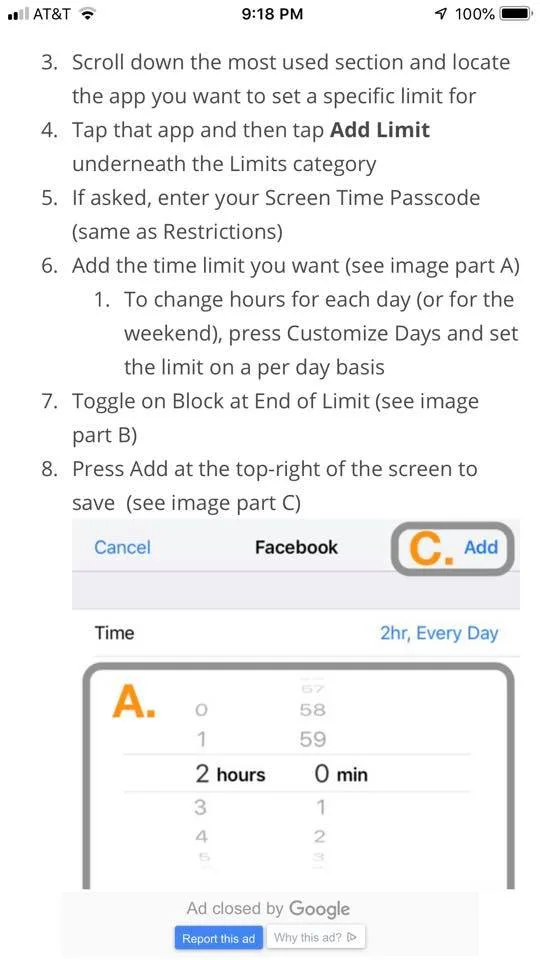
How to set limits on specific apps on the Screen Time app
Related: What are the best screen time management strategies for parents?
2. Tap the app you'd like to limit, then scroll all the way down to where it says "Add Limit."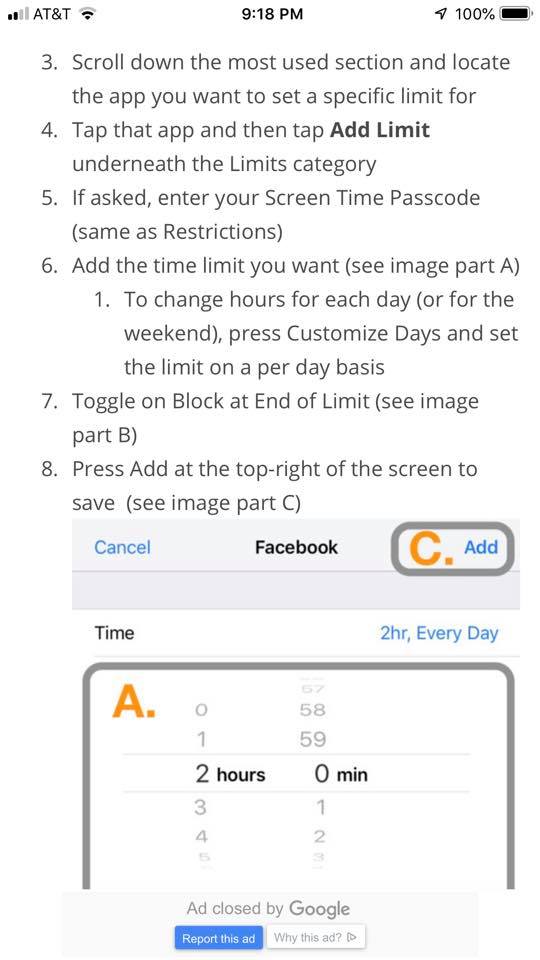
Got more digital parenting questions? We've got lots of answers in our new Guide to Digital Parenting!
top photo by Kelly Sikkema on Unsplash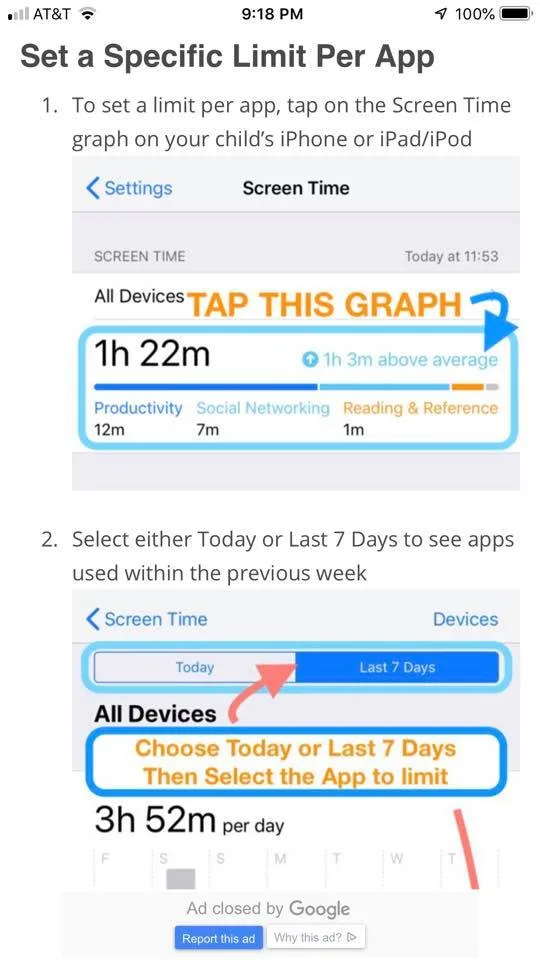
Note: This is imported sample content. Original source.