How can I stop inappropriate follow requests on Instagram?
February 18, 2019•3 min read
Last week, we had a lively discussion about inappropriate follow requests on Instagram in our Out Tech Your Kids Facebook Group. Many parents bemoaned the challenges of trying to navigate this with their kids on Instagram, even on private accounts.
Unfortunately, Instagram does not have the option to completely block inappropriate follow requests, and in fact, as one savvy mom noted, if you do end up blocking the account, their image stays in your "blocked" list. It's like you just can't escape.
There are a few things you can do to attempt to circumvent this issue that many parents are facing (heck, even we get them), that you might want to try.
Related: 2 new features to help make Instagram a safer place
Related: How to change your date and time stamp to use older photos on Instagram Story
Related: Social media and kids: We might be doing it wrong, parents
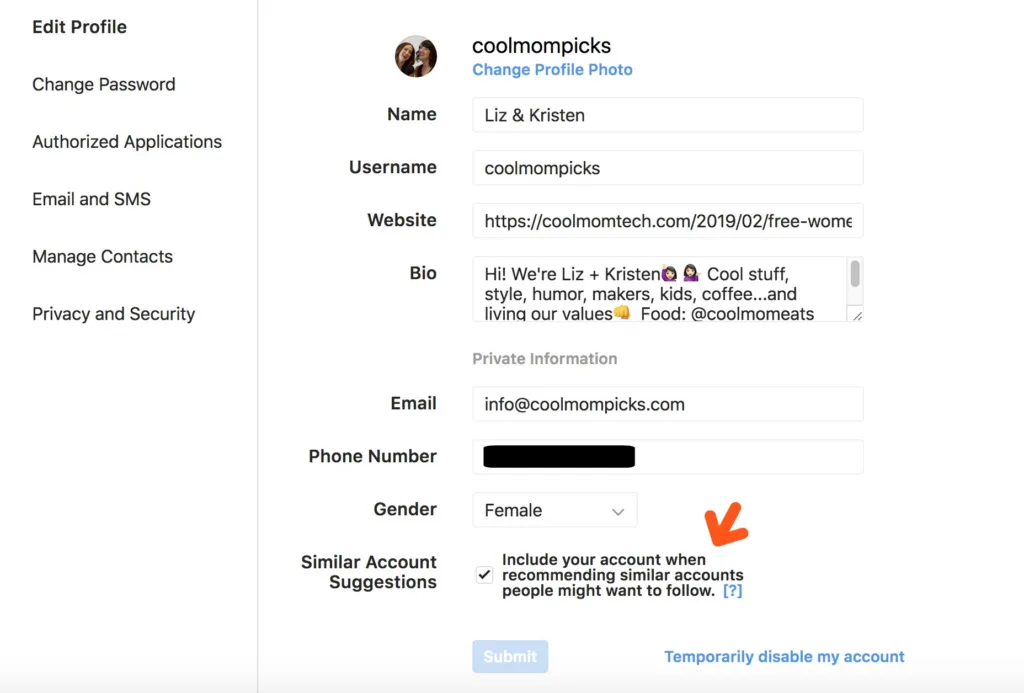
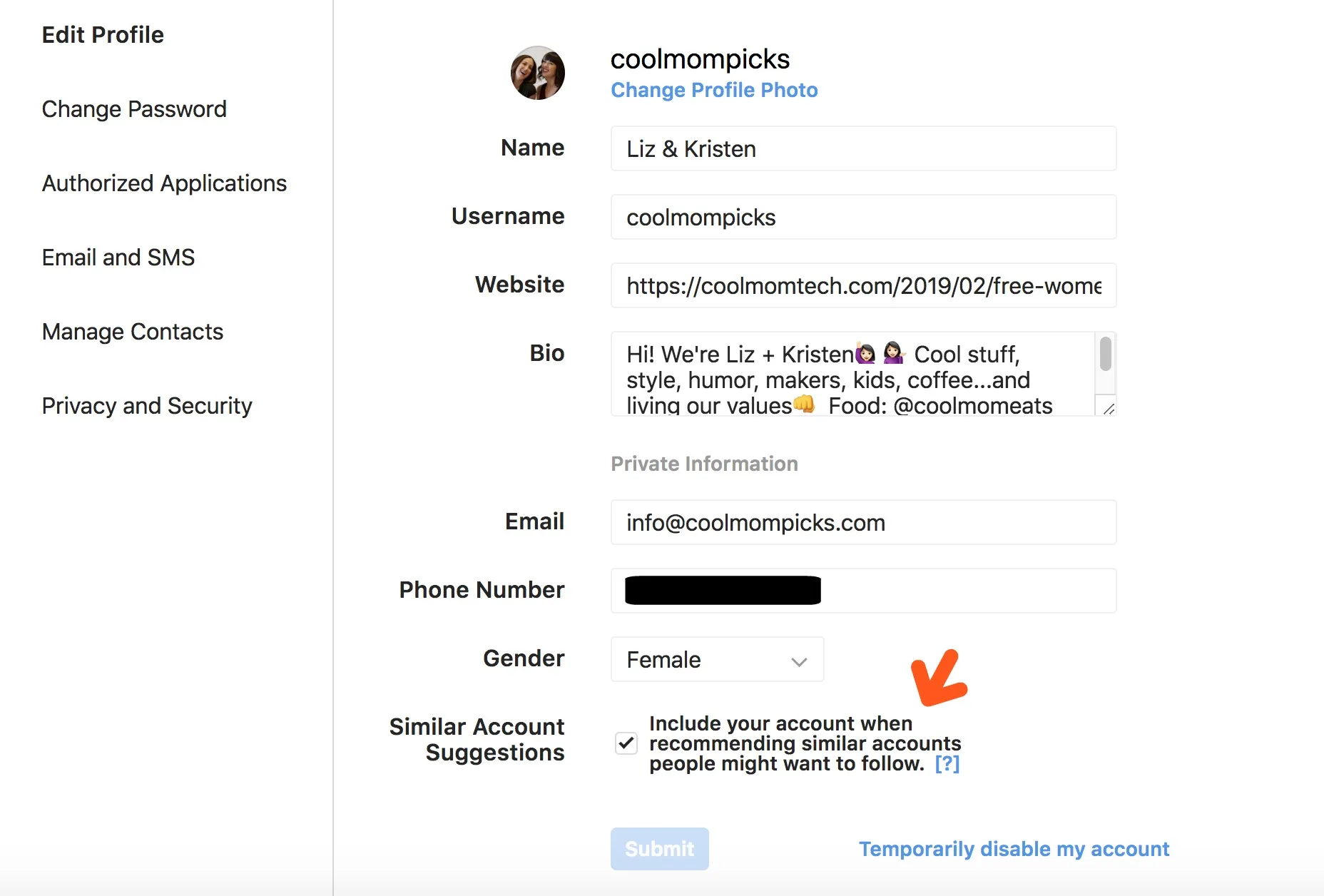
3. Turn off similar account suggestions: One way to help decrease the number of eyeballs on your child's Instagram account is to turn off the feature that suggests similar accounts. You'll need to do this on your desktop (vs the app on your smart phone), but it's worth a try. You simply go into Edit Profile, then uncheck the box that allows Instagram to suggest your child's account when people follow similar accounts. And finally, while we do know the "blocked" followers do stay visible in your child's account, it's important to report them to Instagram (and then block them). In our experience, this does little in helping keep other inappropriate spam and follower requests from finding you, but it's an important skill for them to learn (as they'll be doing their fair share of it across all the platforms they utilize), and we'd like to think it sends a message to Instagram to tighten up their spam blockers. Top Photo by Erik Lucatero on Unsplash;Middle photo by Georgia de Lotz on Unsplash
Note: This is imported sample content. Original source.


