iPhone trick: How to lock and password-protect notes in your Notes app.
August 20, 2018•2 min read
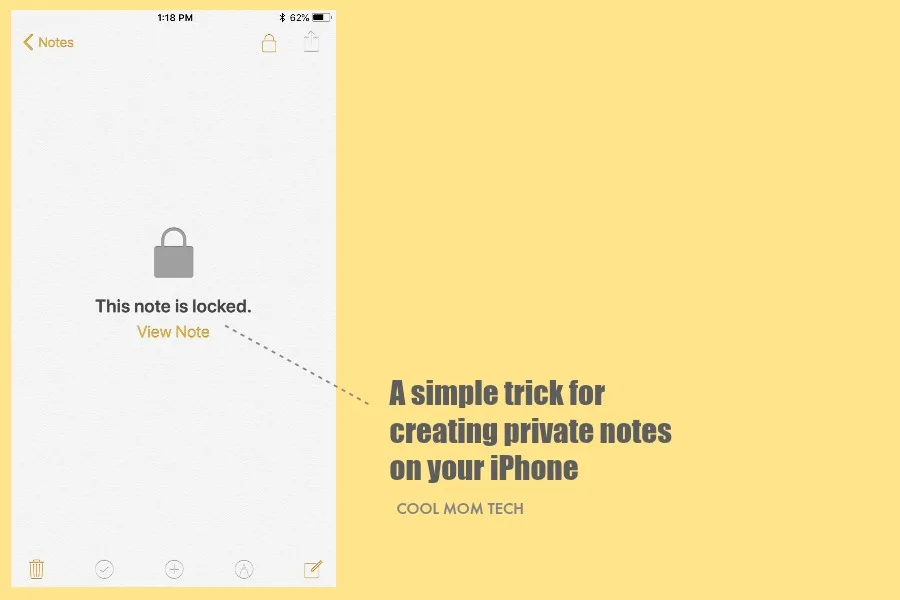
Raise your hand if you know how to lock your notes on the Notes app on your iPhone. And now...here's me not raising my hands.Honestly, I never even realized you could do it at all! So leave it to my 11-year-old daughter to show me a cool iPhone tip I hadn't ever considered.
Want to make some of your own notes private and password-protected? It's so easy!
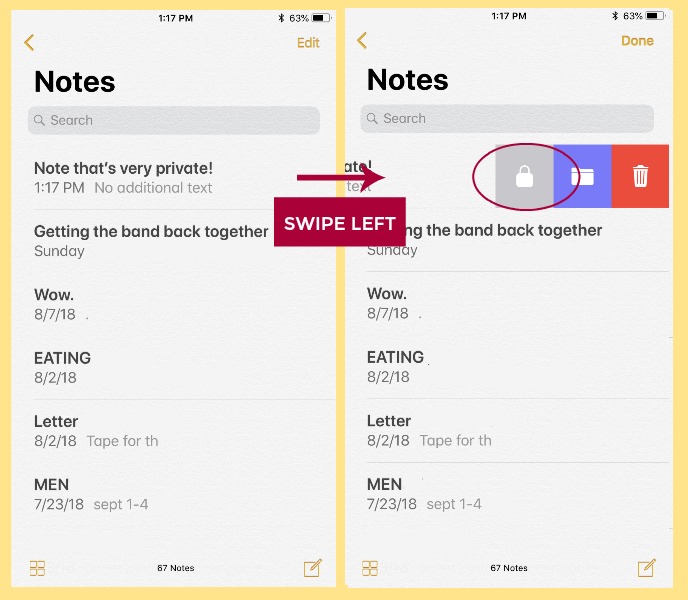 3 Select the note you'd like to make private, then swipe left to reveal icons for lock, file, or trash.
4 Click the lock icon (it's gray and...looks like a lock!)
3 Select the note you'd like to make private, then swipe left to reveal icons for lock, file, or trash.
4 Click the lock icon (it's gray and...looks like a lock!)
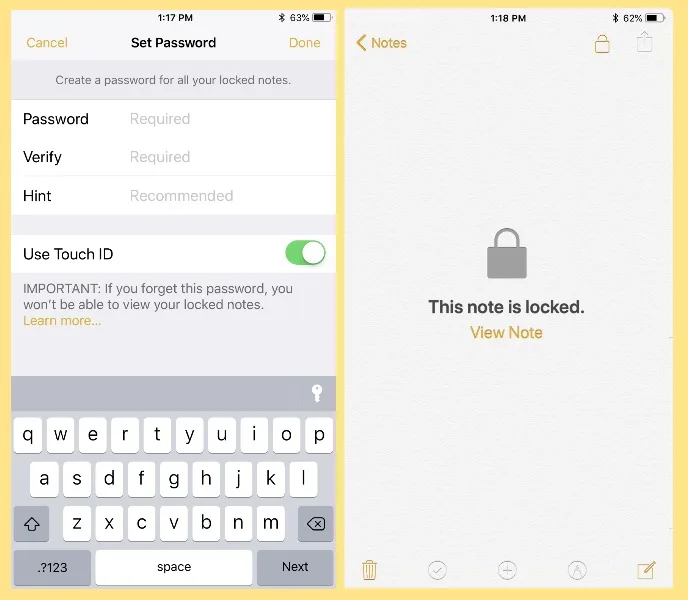
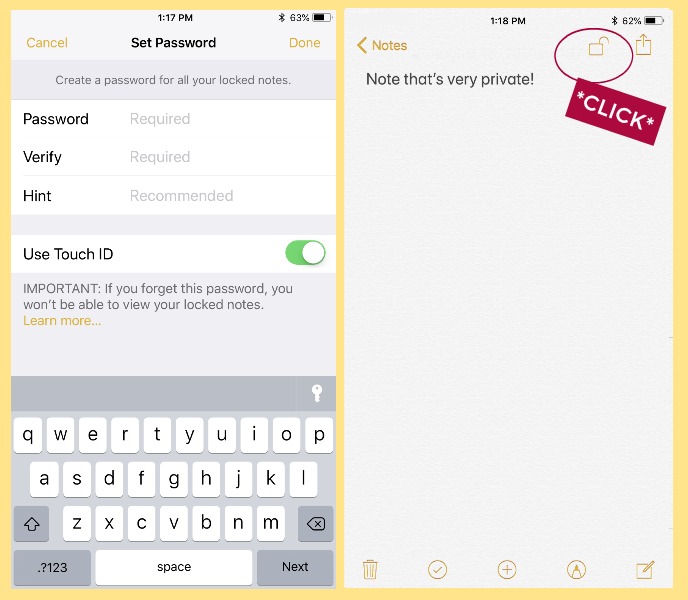 5 Enter a password (a good one!) and if interested, turn on Touch ID to unlock with your fingerprint
6 Go back into your note and click the open lock icon at top right to lock.
5 Enter a password (a good one!) and if interested, turn on Touch ID to unlock with your fingerprint
6 Go back into your note and click the open lock icon at top right to lock.
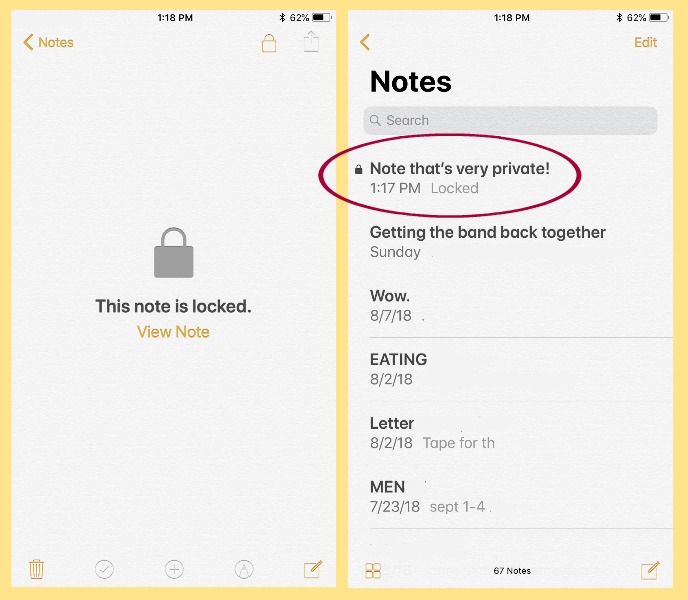 7. You'll now see a lock icon next to any locked notes in your list. To access again, click on it then you'll be prompted to enter your password or to use Touch ID.
It's a genius little iPhone tip for anyone who shares notes -- or for those of us who just hand our phone over to the kids from time to time. Particularly during birthday and holiday gift list-making season.
7. You'll now see a lock icon next to any locked notes in your list. To access again, click on it then you'll be prompted to enter your password or to use Touch ID.
It's a genius little iPhone tip for anyone who shares notes -- or for those of us who just hand our phone over to the kids from time to time. Particularly during birthday and holiday gift list-making season.
Related: Think you're creating safe, secure passwords? Here's how to be sure.
Here's how: 1 Open your notes app 2 Open your list of notes
3 Select the note you'd like to make private, then swipe left to reveal icons for lock, file, or trash.
4 Click the lock icon (it's gray and...looks like a lock!)
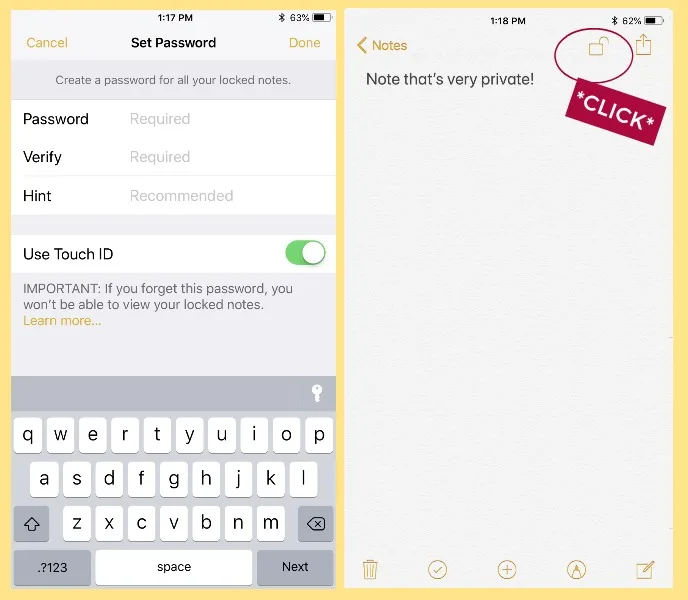
5 Enter a password (a good one!) and if interested, turn on Touch ID to unlock with your fingerprint
6 Go back into your note and click the open lock icon at top right to lock.
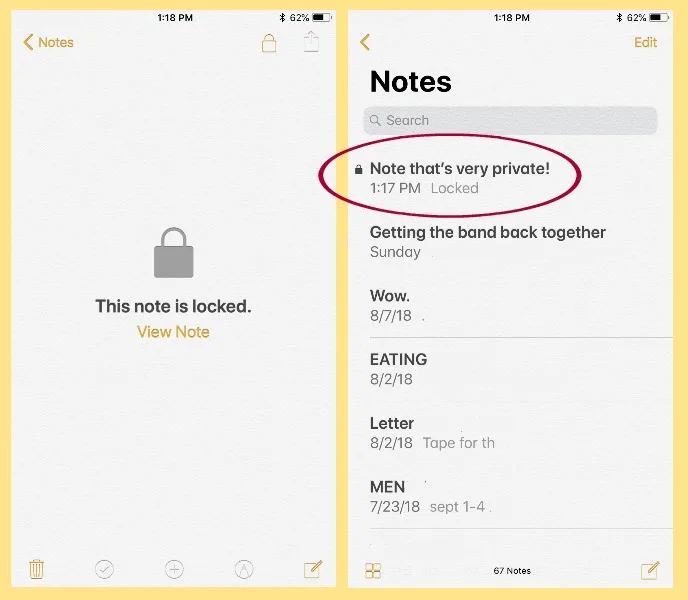
7. You'll now see a lock icon next to any locked notes in your list. To access again, click on it then you'll be prompted to enter your password or to use Touch ID.
It's a genius little iPhone tip for anyone who shares notes -- or for those of us who just hand our phone over to the kids from time to time. Particularly during birthday and holiday gift list-making season.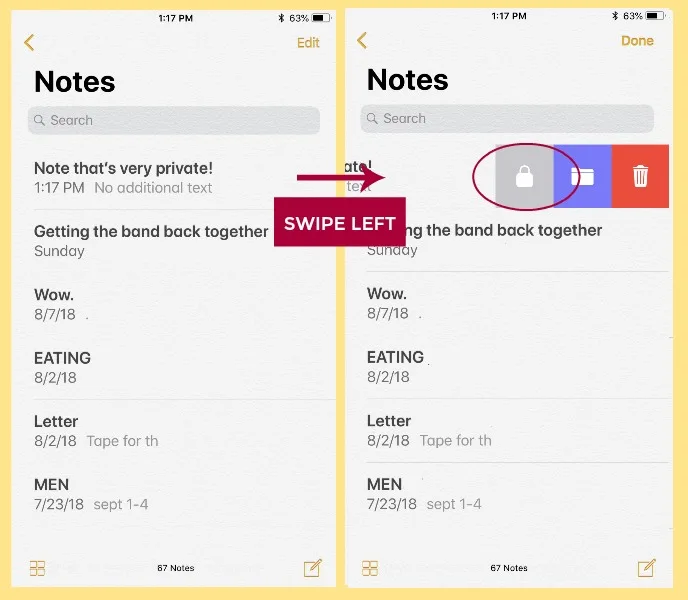
Note: This is imported sample content. Original source.