There is a chance that you've seen your iPhone ask you to turn on Low Power Mode when it gets to 20% battery life, but what you might not have known is that you can toggle it on and off manually when you're out and about to help you save battery. This way, you can actually still use your phone (unlike Airplane Mode that cuts you off from cellular and WIFI), but not use up as much battery as you might with it on full power.
Related: How to be prepared if your smart phone battery dies
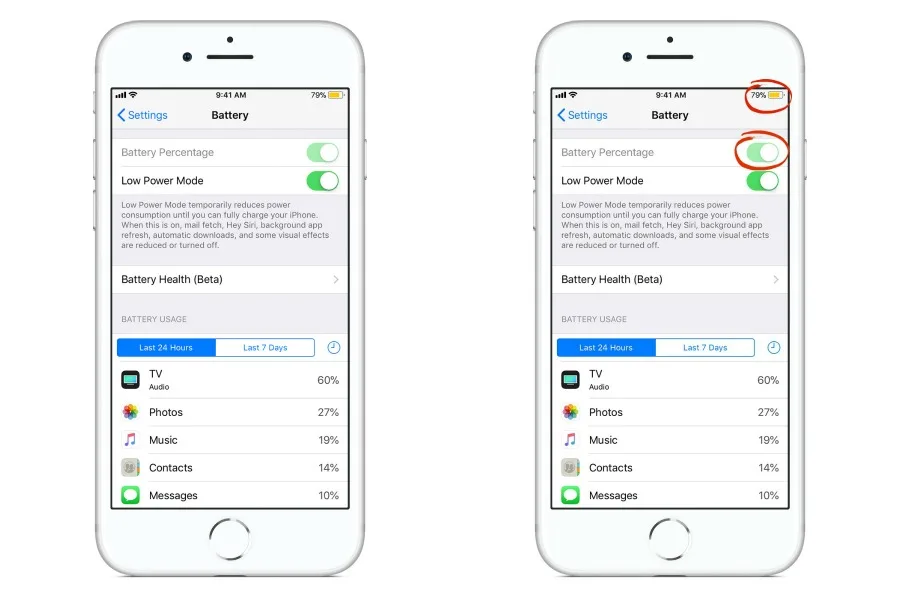
To activate Low Power Mode, head to
Settings > Battery > Low Power Mode. Once you turn it on, your mail fetch (which is a big battery suck), as well as features like Siri, background app refresh, auto downloads and some visual effects will be reduced or turned off.
But if you're out and about and don't have your
portable battery charger, this is a smart trick that could save you a whole lot of hassle. And battery.
 Tips and Tricks
 Causes and Giving Back
 Tips and Tricks