Yes, it's true. Amazon's Alexa has been recording your conversations.
By Kate Etue
May 30, 2018•2 min read
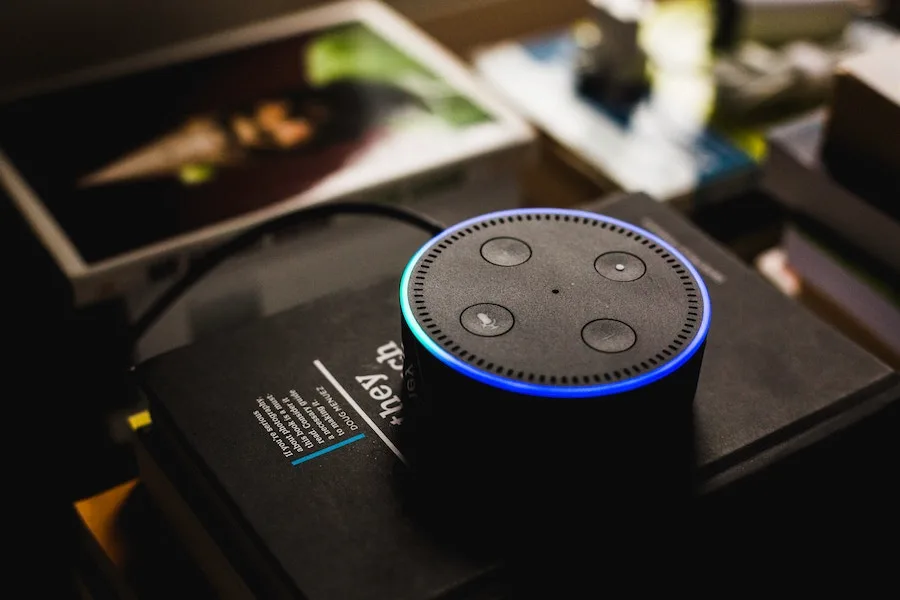
So, we were all a little freaked out about the story that an Amazon Echo had recorded a private conversation in a user's home, then sent that conversation to someone else. Because, oof. Beyond embarrassing, this is a major privacy breakdown on Alexa's part. Girl, that was a secret!
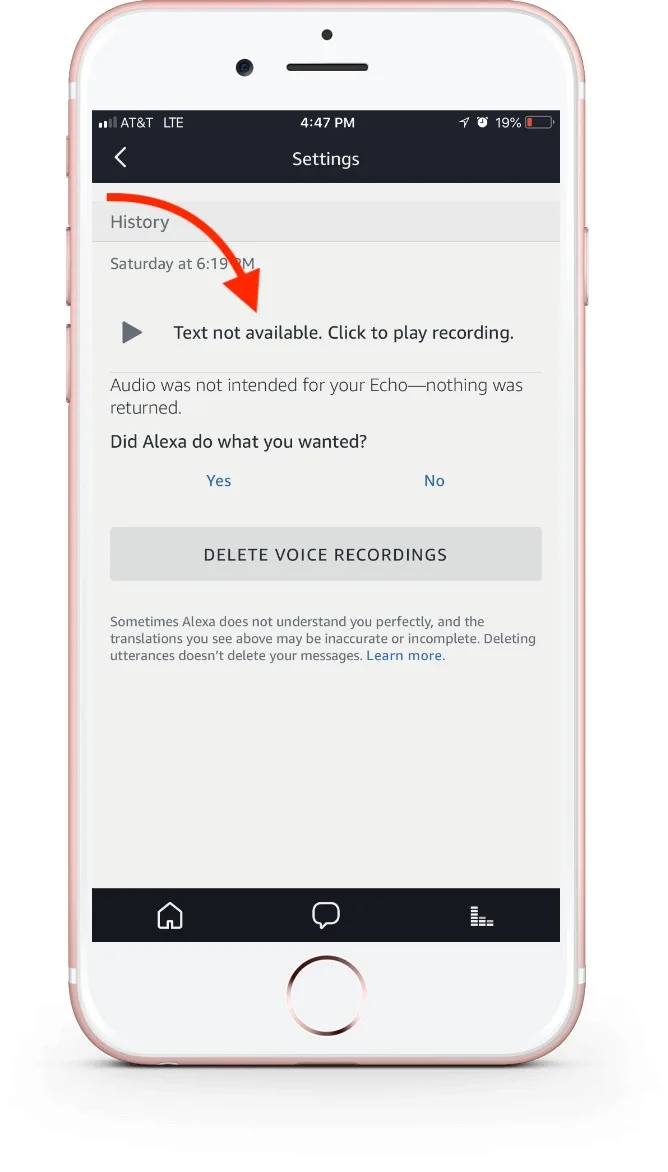
So, if you have an Amazon Echo in your home -- and we think there are plenty of really helpful reasons to have one -- here's how you can check to see which of your conversations Alexa has been recording. (Because, spoiler alert: she's been recording them), along with step-by-step instructions for how to delete them.
Related: How to turn off Voice Purchasing on the Amazon Echo.
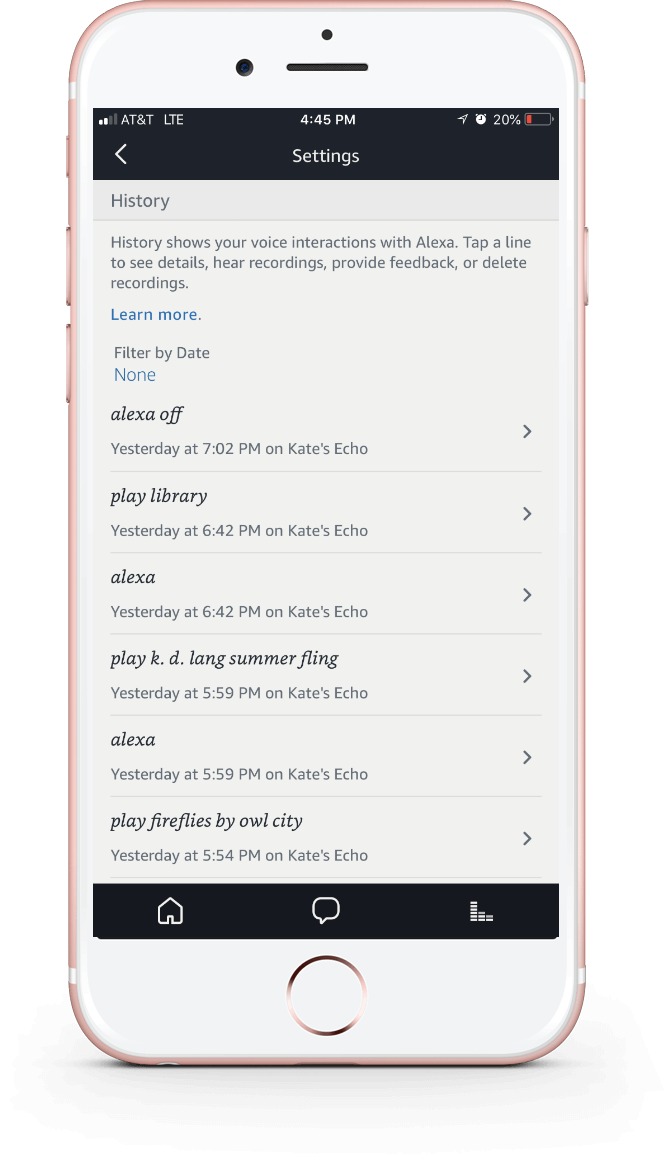
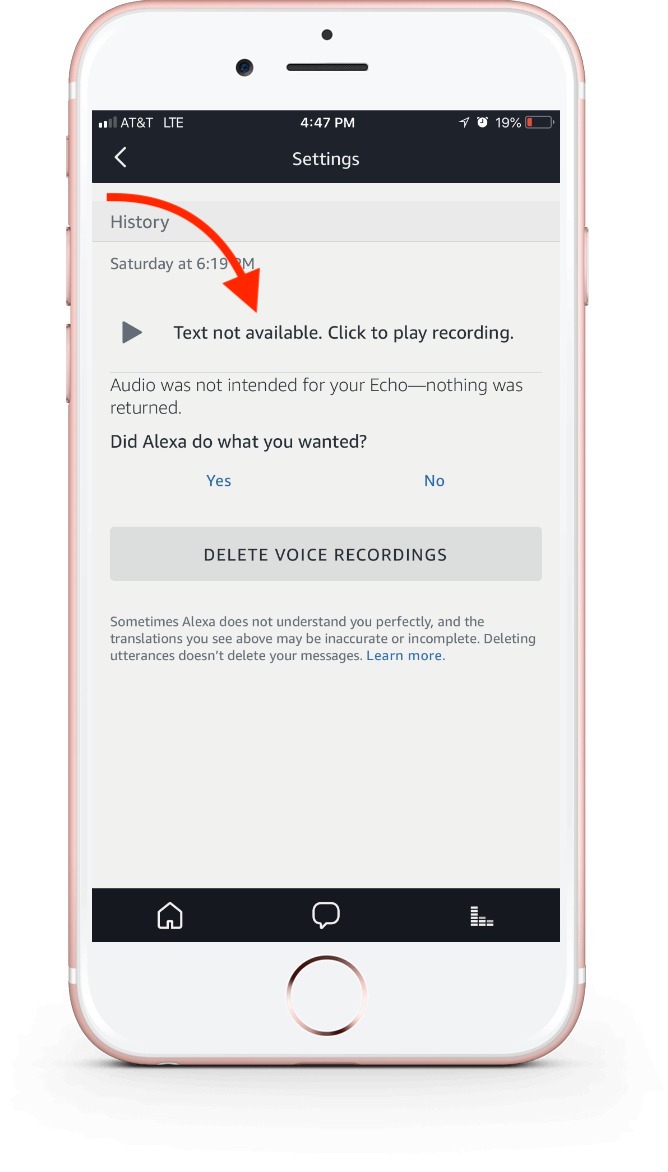
App method
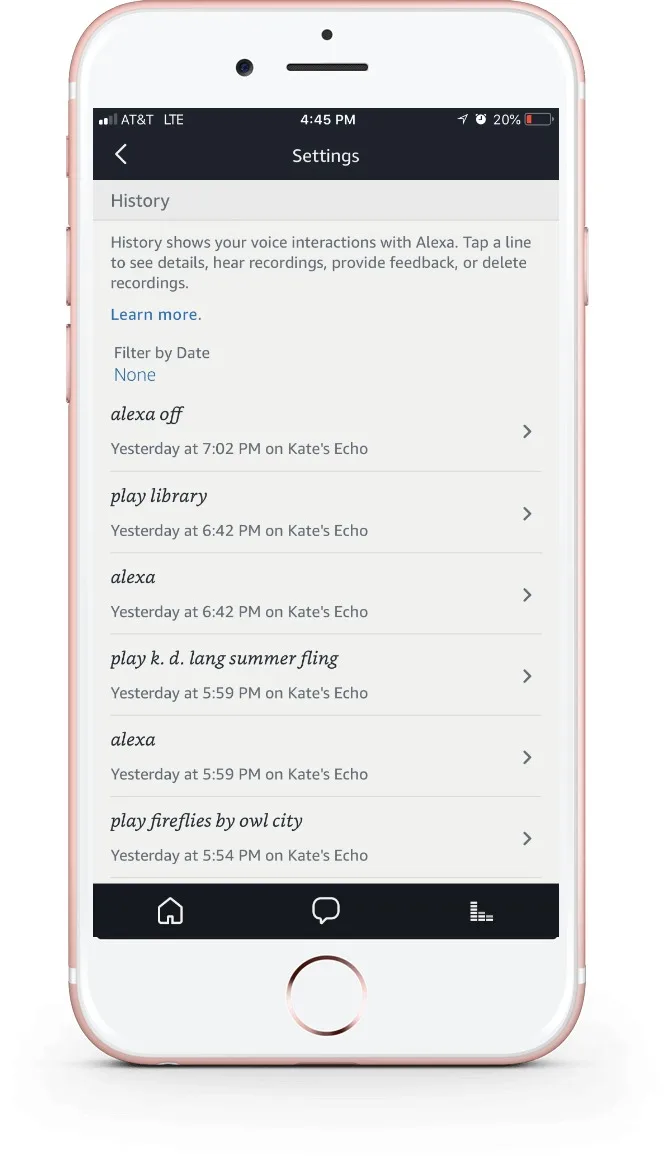
Because Alexa is great at making lists, she actually makes a list of all recorded conversations in your Alexa app. Here's how to find them:- Open the Alexa app
- Click on the menu button
- Select Settings
- Scroll to History
Related: Here's how to use Alexa to make your grocery list
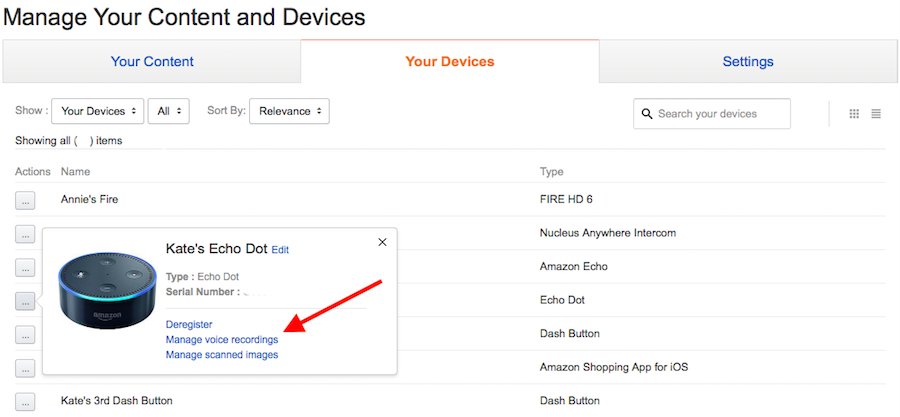
Website method
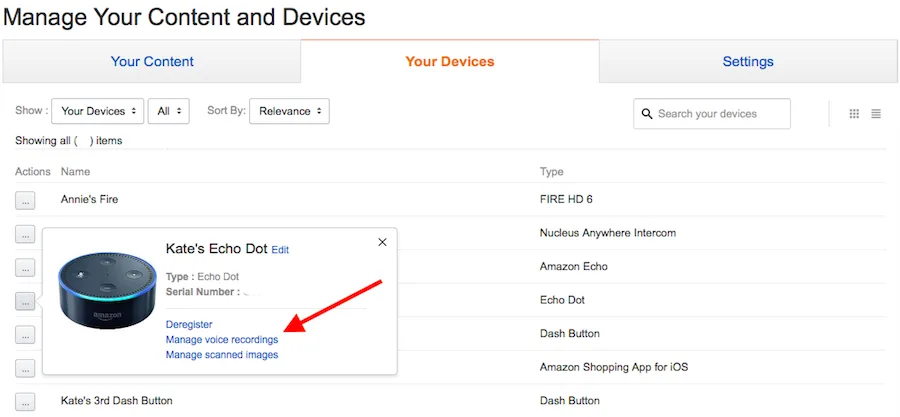
Since Alexa starts recording anytime you say her name, you may have a LOT of messages here. So, you may prefer this faster, but less customized route.- Log into your Amazon account online
- Choose "Manage your content and devices"
- Click on the "Your Devices" tab, then choose your Echo
- Click on the box with three dots in it, preceding your Echo in the list.
- Choose "Manage voice recordings."
Note: This is imported sample content. Original source.


