The best ever, super simple trick for taking better selfies
January 9, 2018•2 min read
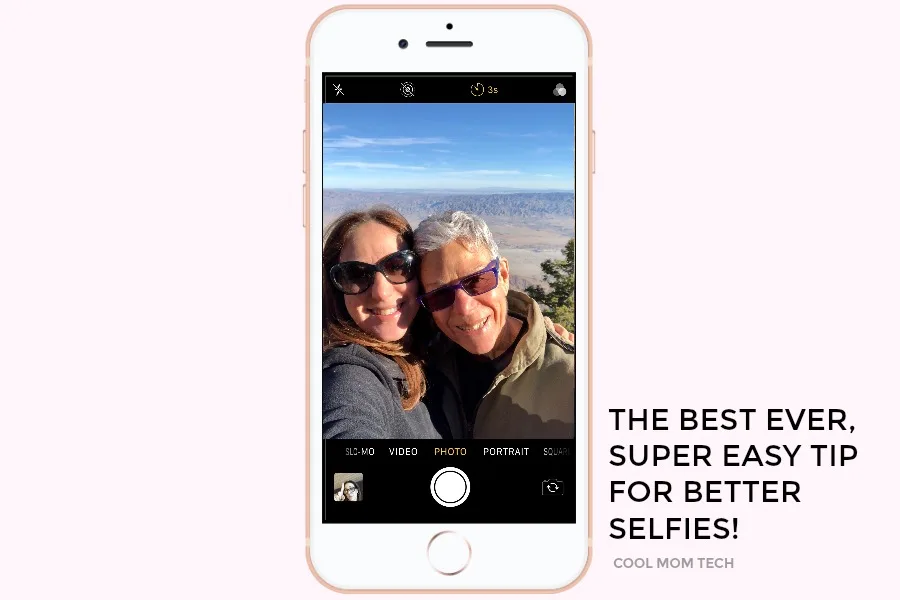
Last week on family vacation, atop the San Jacinto Mountain with the scenic Coachella Valley behind me, of course tons of selfies were taken. As is the law these days. When it was my turn to pull out my phone, I realized I couldn't get a flattering angle, and the gorgeous background in focus, and click the shutter button on my iPhone all while keeping my grip steady. So I realized, hey...
I can use the timer!
Most of us think of the timer when it comes to dashing into a group photo in time, not selfies. Even my tech-genius boyfriend said, "hey, I never thought of that!" So I figured I'd share the world's most simple tip for better selfies with you all.
As in, use the timer.
 On your iPhone, in camera mode, just click the timer icon at top. It's the third icon between the live photos icon and the filters icon. You can see it here.
Next, click "3 seconds" (which I find generally adequate) or "10 seconds" (if you're realllly particular about getting just the right duck face, ha), then click the shutter button to take the photo. You can see how it looks in the black nav bar in the photo up top.
On your iPhone, in camera mode, just click the timer icon at top. It's the third icon between the live photos icon and the filters icon. You can see it here.
Next, click "3 seconds" (which I find generally adequate) or "10 seconds" (if you're realllly particular about getting just the right duck face, ha), then click the shutter button to take the photo. You can see how it looks in the black nav bar in the photo up top.
On your iPhone, in camera mode, just click the timer icon at top. It's the third icon between the live photos icon and the filters icon. You can see it here.
Next, click "3 seconds" (which I find generally adequate) or "10 seconds" (if you're realllly particular about getting just the right duck face, ha), then click the shutter button to take the photo. You can see how it looks in the black nav bar in the photo up top.
 No retouching -- just a happy real-life shot with my mom in a gorgeous setting.


Note: This is imported sample content. Original source.