There's a glitch in the matrix! Okay, not really, just that there's a bug in
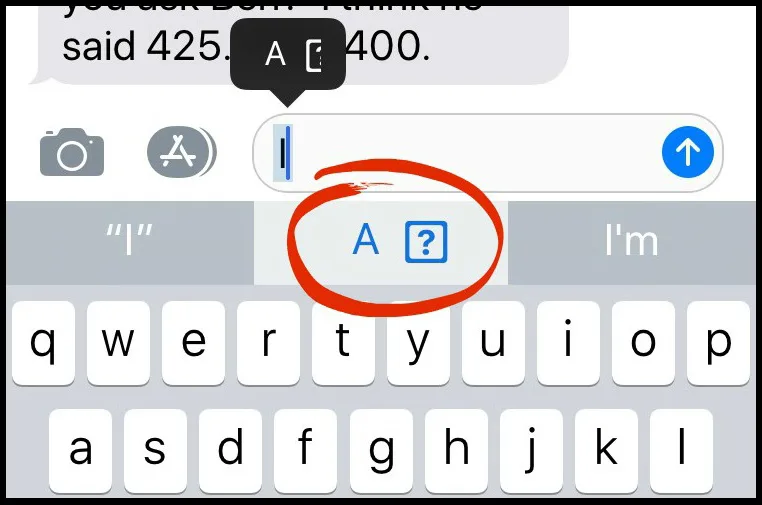
iOS 11 that for many people turns their letter "i" to a weird symbol. Thankfully, there's a quick fix until they come up with a fix in the next iOS version, which we hope will be soon.
Now, you may not know if you have it or not, because it's not visible to you (just your recipient) on iMessage. I check by looking on Facebook messenger. Or you can just text someone in your household and ask them (or take a peek at their phone).
Related: Here's how to use text replacement to make your texting life easier.
If you have it, here's what to do:
1. Settings > General > Keyboard > Text Replacement
2. Click the + symbol
3. In the "Phrase" field, enter "I" (the capital letter)
4. In the Shortcut field, enter "i" (the lowercase letter)
5. Then hit Save in the top right corner.
That's it! If you need more help, watch this video!

 Tips and Tricks
 Causes and Giving Back
 Tips and Tricks