A clever trick to boost your kids' reading skills while they watch TV
By Kate Etue
September 8, 2017•2 min read

During the dry spell of summer, when our favorite TV shows were in their off season, my 10-year-old daughter and I got hooked on a fun Korean high-school drama series. But while we watched I noticed something I didn't expect: her reading skills improved. And then I figured it out. Since the show is spoken in Korean, we had to watch with subtitles. She had to read fast to keep up with the plot.
For the first couple episodes, we did a lot of pausing and hitting the 10-seconds-back button to re-read what they were saying. But about 4-5 episodes in, she could keep up without having to stop and start. Without even realizing it, she was boosting those reading skills.
If you're looking for a creative way to help your own kid's reading skills, here's how to turn on subtitles on your devices.
Related: 17 of the very best reading apps for kids, from ABCs to SATs
Related: 8 research-based tips and tricks to help your kids read more
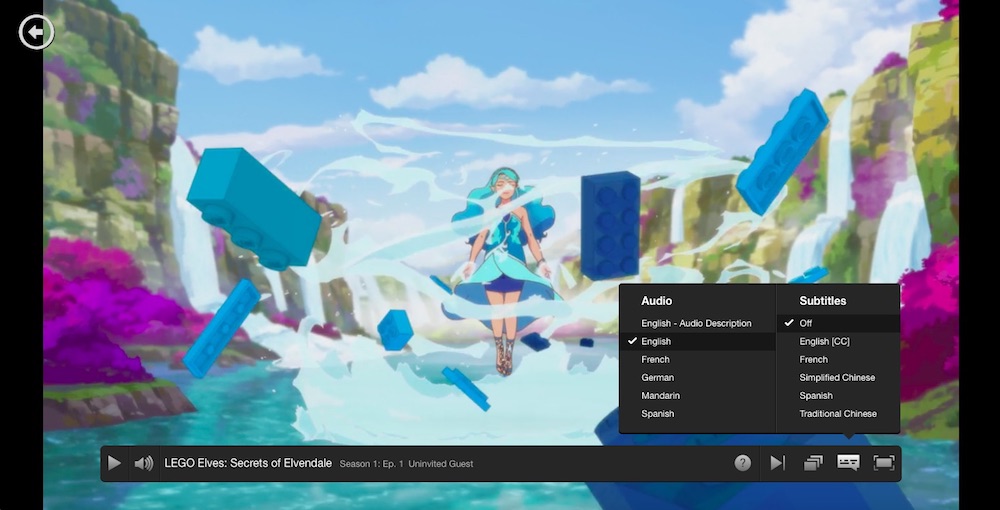
How to turn on subtitles on Netflix
Once you've selected the show you want to watch, select Audio & Subtitles in the Options panel. Choose your preferred language and select Play.How to turn on subtitles on Hulu
Once you've started the show you want to watch, tap on the Options button (the gear icon). Turn the Closed Captions option to On and you'll see subtitles at the bottom of the screen.How to turn on subtitles on Amazon Prime
Start the movie or show you want to watch, then click on the Subtitles and Audio option (to the left of the gear symbol) and tap on English. You can change the settings for font size and color, but not language.How to turn on subtitles on Apple TV
On the home screen, choose Settings >> General >> Accessibility. Then choose Subtitles and Captioning. You can enable Closed Captions + SDH here, and customize the appearance of your subtitles. Or, if you're already watching a show, you can press and hold the center button on your remote. The show will pause, and the subtitles menu will appear.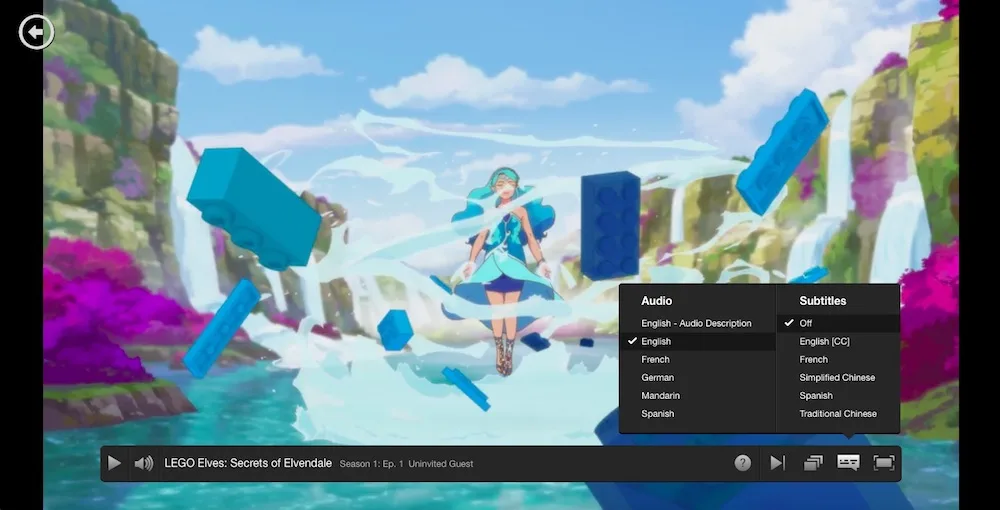




Note: This is imported sample content. Original source.


