If you're having issues with your iPhone on
iOS 10, here's a simple trick that could save you a whole lot of battery life. Bonus: It'll help with data usage too.
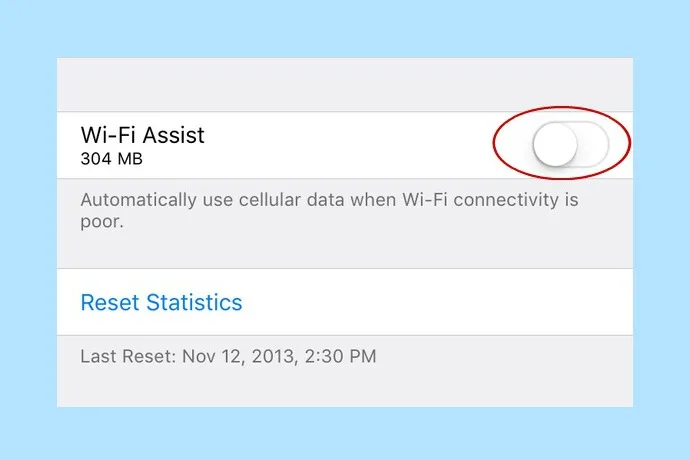
Although Wi-Fi Assist is meant to be a helpful service by automatically switching your phone over to cellular data when it detects an unstable Wi-Fi network, it can a battery killer and a data eater.
Related: How to fix iPhone battery issues in 6 easy steps
Luckily, it's very easy to remedy. Go to Settings > Cellular and scroll all the way down to the Wi-Fi Assist feature. Simply toggle off and you're done. Now, your phone won't automatically make the switch anymore, which can really help save your battery, and your data.
Our suggestion: Make sure it's off on your kids' phones, too, especially if you don't have an unlimited data plan.
 Tips and Tricks
 Causes and Giving Back
 Tips and Tricks