Storia iPad app - creating bookshelves for your kids without hammers or nails
My kids, like many, fall into the "Quasimodo trance" as I call it when they are alone with my iPad and play mindless games. They sit, hunched over and when asked a question, simply respond with grunts and indiscernible noises. Not so whe…
By Jeana Tahnk
May 20, 2012•2 min read
My kids, like many, fall into the "Quasimodo trance" as I call it when they are alone with my iPad and play mindless games. They sit, hunched over and when asked a question, simply respond with grunts and indiscernible noises. Not so when they engage with interactive books, instead of apps that require nothing more than tapping and staring (and evidently, grunting).
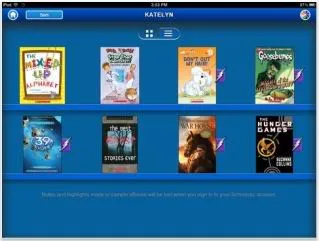
That's why I was excited to check out the new Storia app from Scholastic books. Storia essentially creates a virtual bookshelf for your children (you can create up to 10 shelves) with content specific to their age and reading level.
The app itself comes with five free books, or purchase more from the online Storia e-bookstore. They'll automatically get synced to whichever bookshelf you assign it to, and then your kids can get reading right away. The app also comes with "Parent Tools" that tracks your kid's reading progress, time spent, and the kinds of words she learned using the built-in Smart Dictionary.
What's great is that if your child is already part of the Scholastic Book Club program at school, your purchases are linked to your existing account That means any Storia e-book buys will still earn credits for your teachers that can be redeemed for more books or classroom supplies.
My kids love any iPad time they get. If more of said iPad time is spent books, well, that's something this mama loves. -Jeana
The Storia iPad app is free from iTunes and comes with five free e-books. Any additional e-book purchases can made through the e-bookstore at Scholastic.com.
That's why I was excited to check out the new Storia app from Scholastic books. Storia essentially creates a virtual bookshelf for your children (you can create up to 10 shelves) with content specific to their age and reading level.
The app itself comes with five free books, or purchase more from the online Storia e-bookstore. They'll automatically get synced to whichever bookshelf you assign it to, and then your kids can get reading right away. The app also comes with "Parent Tools" that tracks your kid's reading progress, time spent, and the kinds of words she learned using the built-in Smart Dictionary.
What's great is that if your child is already part of the Scholastic Book Club program at school, your purchases are linked to your existing account That means any Storia e-book buys will still earn credits for your teachers that can be redeemed for more books or classroom supplies.
My kids love any iPad time they get. If more of said iPad time is spent books, well, that's something this mama loves. -Jeana
The Storia iPad app is free from iTunes and comes with five free e-books. Any additional e-book purchases can made through the e-bookstore at Scholastic.com.
Filed Under:bookseducationaleducational appsfree or close to ithomeschoolingiOS appsreading with kidstweens + big kids
Note: This is imported sample content. Original source.