How do I get rid of duplicate photos in iPhoto? Reader Q&A
I have duplicate photos in my iPhoto libraries. Is there a program that can help me eliminate the dupes? - @SallyHogshead via Twitter Now this is one question that a lot of us have faced ourselves. Duplicate photos are most definitely an…
By Jeana Tahnk
January 10, 2012•2 min read
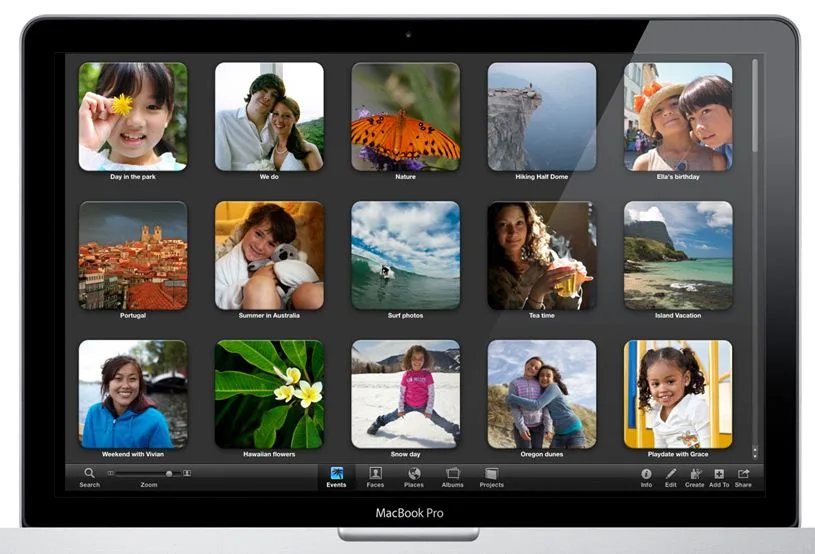
I have duplicate photos in my iPhoto libraries. Is there a program that can help me eliminate the dupes?
-@SallyHogshead via Twitter
Now this is one question that a lot of us have faced ourselves. Duplicate photos are most definitely an annoyance. As much as we love that shot of our kid with applesauce all over his face and smeared on the kitchen table and chairs, we don't need to re-live that magic multiple times. If you have a large photo library, you definitely want to save your sanity and forgo deleting files manually for a much easier option like Duplicate Annihilator. This is a software program that does the work for you by automatically tagging repetitive files using a fancy algorithm. You can then either choose to rename the image and move it elsewhere, or (more likely) delete altogether.
The $7.95 price is a small price to pay for saving yourself a lot of aggravation and possibly hours of work.
There are a couple other software titles like Duplifinder ($7) and Tidy Up ($30) that offer similar functionality, but Duplicate Annihilator seems to be the go-to choice with a lot of happy users. -Jeana
Find Duplicate Annihilator online from their website. Also, see Cult of Mac for this helpful blog post about ways to manage and organize photos with iPhoto.
-@SallyHogshead via Twitter
Now this is one question that a lot of us have faced ourselves. Duplicate photos are most definitely an annoyance. As much as we love that shot of our kid with applesauce all over his face and smeared on the kitchen table and chairs, we don't need to re-live that magic multiple times. If you have a large photo library, you definitely want to save your sanity and forgo deleting files manually for a much easier option like Duplicate Annihilator. This is a software program that does the work for you by automatically tagging repetitive files using a fancy algorithm. You can then either choose to rename the image and move it elsewhere, or (more likely) delete altogether.
The $7.95 price is a small price to pay for saving yourself a lot of aggravation and possibly hours of work.
There are a couple other software titles like Duplifinder ($7) and Tidy Up ($30) that offer similar functionality, but Duplicate Annihilator seems to be the go-to choice with a lot of happy users. -Jeana
Find Duplicate Annihilator online from their website. Also, see Cult of Mac for this helpful blog post about ways to manage and organize photos with iPhoto.
Note: This is imported sample content. Original source.


